iPad Photobooth: Setup, Apps & Professional Event Tips
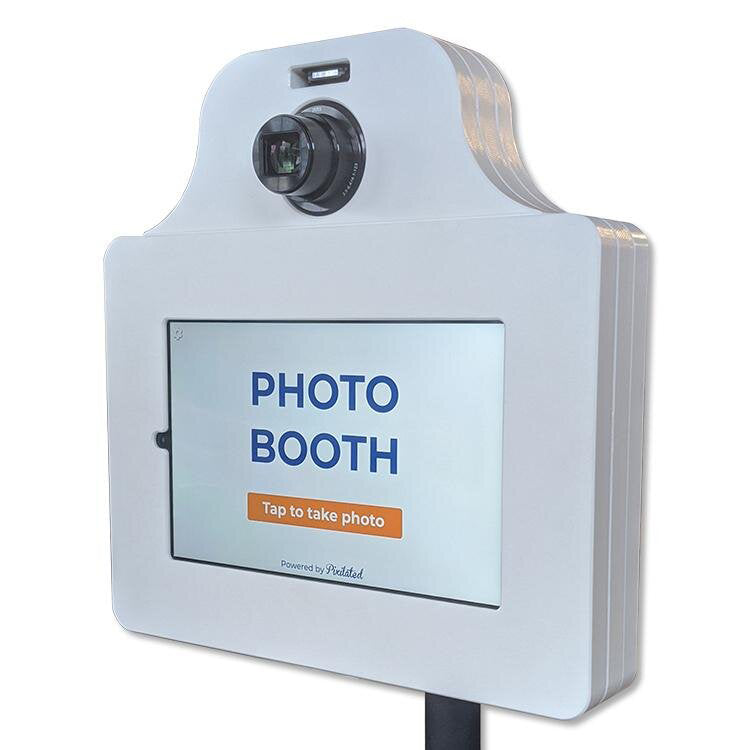
Pixilated Photo BoothThe evolution of event photography has transformed dramatically over the past decade, with tablet-based photo experiences becoming increasingly popular for everything from corporate activations to intimate weddings. An ipad photobooth offers a compelling combination of portability, affordability, and professional capabilities that traditional booth setups struggle to match. This modern approach eliminates bulky equipment while delivering high-quality images and instant social sharing that today's event guests expect.
Understanding the iPad Photobooth Advantage
Modern event hosts face constant pressure to deliver memorable experiences within tight budgets. The ipad photobooth solution addresses this challenge by leveraging technology most people already understand and trust.
Cost Efficiency Without Compromising Quality
Traditional photo booth rentals often require significant investment, typically ranging from $500 to $1,500 for a single event. An iPad-based setup dramatically reduces these costs while maintaining professional output. The hardware investment remains minimal compared to dedicated photo booth systems, and the ongoing operational expenses drop substantially.
Key financial benefits include:
- Lower initial equipment investment
- Reduced shipping and transportation costs
- Minimal maintenance requirements
- No staffing costs for basic operations
- Scalable pricing for multiple events
The total cost of ownership for an ipad photobooth setup typically runs 60-70% lower than traditional alternatives. This makes professional photo experiences accessible to smaller events and organizations with limited budgets.
Portability and Setup Simplicity
One of the most significant advantages of tablet-based photo solutions is their exceptional portability. A complete ipad photobooth fits easily into a carry-on bag or small shipping box.
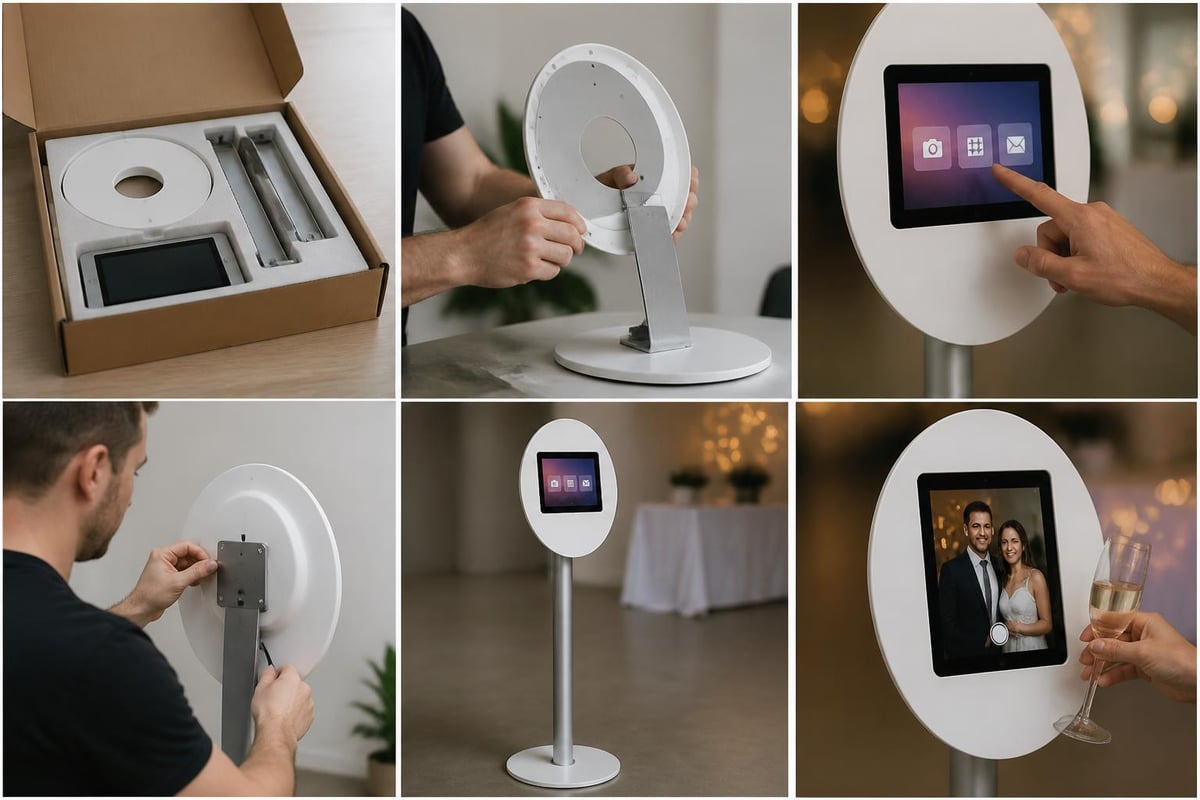
Setup time for these systems typically ranges from 15 to 30 minutes, depending on configuration complexity. This rapid deployment proves particularly valuable for multi-location events or situations where venue access is time-limited. The step-by-step setup process typically involves mounting the iPad, connecting to power, launching the app, and testing the workflow.
Essential Hardware Components
Building a professional ipad photobooth requires more than just a tablet. The complete system integrates several components that work together to create a seamless guest experience.
Choosing the Right iPad Model
Not all iPad models deliver equal performance for photo booth applications. Processing power, camera quality, and screen size all impact the final user experience.
| iPad Model | Camera Quality | Processing Power | Recommended Use |
|---|---|---|---|
| iPad Pro 12.9" | 12MP Wide, 10MP Ultra Wide | M2 Chip | High-end corporate events, brand activations |
| iPad Air (5th Gen) | 12MP Wide | M1 Chip | Professional events, weddings |
| iPad (10th Gen) | 12MP Wide | A14 Bionic | Budget-conscious setups, private parties |
| iPad Mini (6th Gen) | 12MP Wide | A15 Bionic | Compact installations, tabletop setups |
The iPad Pro models offer superior front-facing camera systems, which matters significantly for selfie-style booth configurations. However, mid-range models like the iPad Air deliver excellent results for most event scenarios. Understanding the built-in Photo Booth capabilities helps maximize native features before adding specialized apps.
Mounting Solutions and Stands
A stable, adjustable mounting system separates amateur setups from professional installations. The mount must securely hold the iPad at the optimal height while providing easy access for troubleshooting.
Professional-grade stands typically feature:
- Height adjustment from 3 to 6 feet
- Rotation capability for portrait or landscape orientation
- Cable management systems to prevent tangling
- Weighted bases for stability in high-traffic areas
- Quick-release mechanisms for rapid tablet removal
Tripod-style mounts work well for basic setups, while dedicated photo booth stands with enclosed bases provide a more polished appearance. The mounting solution should complement the overall aesthetic while ensuring the iPad remains secure throughout the event.
Lighting Equipment
Proper lighting transforms acceptable photos into exceptional ones. Ring lights remain the most popular choice for ipad photobooth setups due to their even illumination and compact design.
Professional lighting specifications should include adjustable brightness levels (typically 10-100%), color temperature control (3200K-5600K range), and compatibility with the power source. Battery-powered options increase portability but require monitoring to prevent mid-event failures.
Software Selection and Configuration
The app powering your ipad photobooth determines available features, user interface quality, and overall guest experience. Choosing the right software requires evaluating specific event needs against each platform's capabilities.
Top Photo Booth Apps for iPad
Several established applications dominate the professional ipad photobooth market. Comparing iPad photo booth apps reveals significant differences in features, pricing models, and user experience design.
SimpleBooth offers enterprise-grade features including branded overlays, custom email templates, and analytics dashboards. The subscription-based pricing model suits frequent users and professional booth operators.
Pixilate Booth focuses on ease of use with drag-and-drop customization. Its one-time purchase option appeals to occasional users and DIY event hosts.
Snappic provides extensive social media integration with instant uploads to Instagram, Facebook, and Twitter. The platform excels at events where immediate online sharing drives engagement.
LumaBooth delivers professional-grade output with advanced editing capabilities and green screen support. Corporate events and brand activations particularly benefit from its sophisticated feature set.
Professional photo booth apps typically include customizable photo templates, instant sharing options, data collection capabilities, and branding controls. When evaluating options for a corporate event photo booth rental, prioritize apps that support logo integration and custom overlays.

Critical Feature Evaluation
Beyond basic photo capture, modern ipad photobooth applications must deliver specific functionality to meet professional event standards.
Must-have features include:
- Customizable branding with logo placement and color schemes
- Multiple sharing options via email, SMS, and social platforms
- Data capture for email list building and marketing follow-up
- Template libraries with seasonal and event-specific designs
- Analytics dashboards tracking usage metrics and engagement
- Offline functionality for venues with unreliable connectivity
The Customized Design capability enables brands to maintain consistent visual identity throughout the photo experience. This proves particularly valuable for corporate activations where brand guidelines must be strictly followed.
Connectivity Considerations
Reliable internet connectivity enables instant sharing but introduces potential failure points. Understanding connectivity requirements helps prevent technical issues during events.
Most ipad photobooth apps require internet access for:
- Email and SMS photo delivery
- Social media uploads
- Cloud storage synchronization
- Real-time analytics updates
- Remote monitoring and support
Venues without reliable Wi-Fi present challenges that require planning. Many professional apps include offline modes that store photos locally for later delivery. However, this delays gratification and reduces immediate social sharing opportunities. For outdoor events or venues with questionable connectivity, a Wi-Fi Hotspot Rental ensures uninterrupted photo delivery and maintains the instant gratification guests expect.
Professional Setup Strategies
Creating a professional ipad photobooth experience extends beyond equipment selection. Strategic placement, user experience design, and operational planning separate successful installations from disappointing ones.
Optimal Positioning and Space Planning
Location dramatically impacts participation rates and photo quality. The ipad photobooth should occupy a high-traffic area with adequate space for queuing without blocking event flow.
Space requirements typically include:
- 6x6 feet minimum for booth and backdrop
- Additional 4-6 feet for queue management
- Clearance from speakers and high-noise areas
- Proximity to power outlets (within 10 feet)
- Adequate ambient lighting supplemented by booth lights
Corner placements work well for maximizing space efficiency while maintaining visibility. Avoid positioning near restrooms, exits, or food service areas where traffic patterns create congestion.
Backdrop Selection and Installation
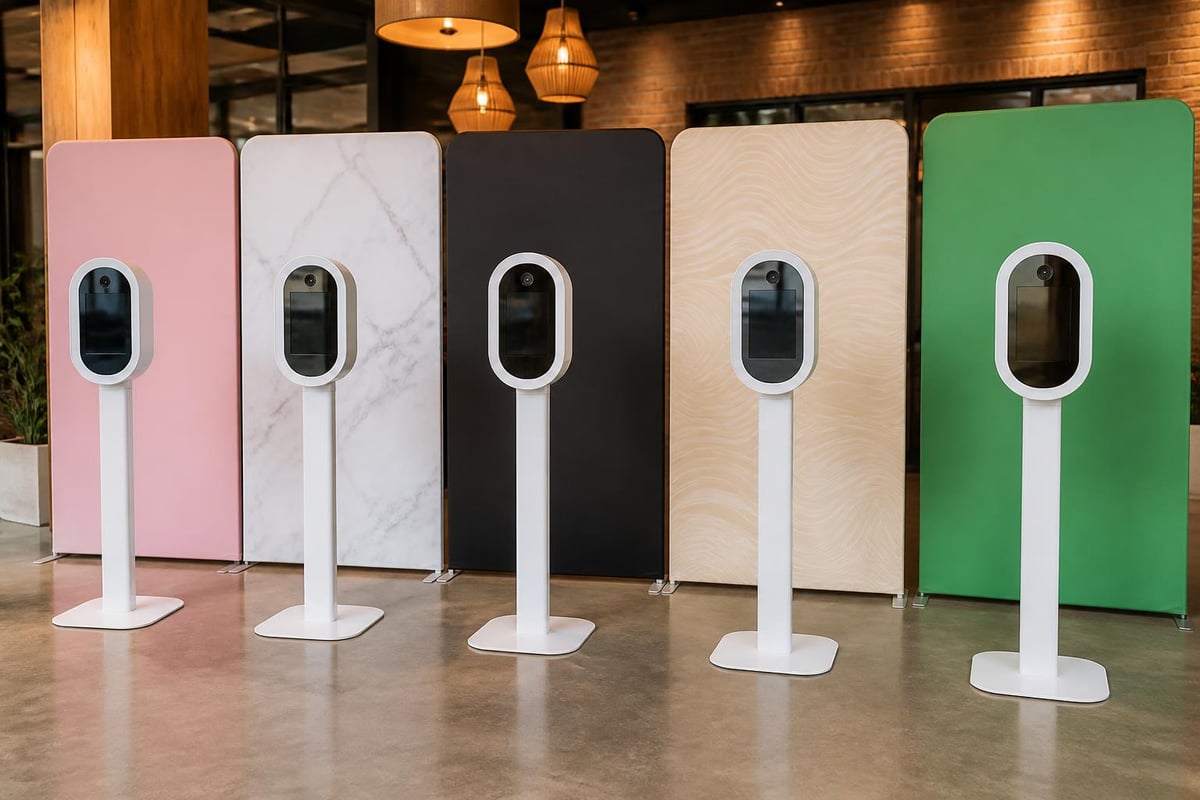
The backdrop provides context and aesthetic appeal to every photo. Professional options range from simple seamless paper to elaborate custom prints.
| Backdrop Type | Cost Range | Setup Time | Best Use Case |
|---|---|---|---|
| Seamless Paper | $25-$50 | 10 minutes | Budget events, solid colors |
| Fabric Backdrops | $50-$150 | 15 minutes | Weddings, textured looks |
| Custom Prints | $150-$400 | 20 minutes | Corporate branding, themed events |
| Sequin/Metallic | $75-$200 | 15 minutes | Celebrations, high-energy events |
| Green Screen | $50-$100 | 20 minutes | Digital background flexibility |
The DIY photo booth setup guide provides detailed instructions for backdrop installation and securing methods. Proper tensioning prevents wrinkles that appear in photos and detract from professional appearance.
Props and Engagement Elements
Strategic prop selection encourages participation and adds personality to photos. The prop collection should align with event theme while offering variety for different guest preferences.
Effective prop collections include 15-25 items distributed across these categories:
- Classic accessories: Hats, glasses, mustaches, and boas
- Themed items: Event-specific props matching the occasion
- Handheld signs: Custom messages, hashtags, or quotes
- Seasonal elements: Holiday-appropriate items for themed events
- Interactive pieces: Frames, speech bubbles, and oversized objects
Organizing props on a dedicated table near the booth improves flow and prevents clutter within the photo area. Clear signage encouraging prop use increases participation among hesitant guests.
Maximizing Guest Engagement
Technical excellence means little if guests ignore the ipad photobooth. Driving participation requires intentional design choices and active promotion throughout the event.
User Interface Optimization
The on-screen experience must guide users through the photo process without confusion or assistance. Intuitive design reduces hesitation and increases throughput.
Effective user interfaces feature:
- Large, clear buttons easily tapped with varied hand sizes
- Visual progress indicators showing current step and remaining actions
- Countdown timers with audio cues for photo capture
- Immediate previews allowing retakes before accepting
- Simple sharing options with minimal input requirements
Testing the interface with users unfamiliar with technology reveals friction points that developers might miss. Professional photo booth apps prioritize user experience because complex workflows dramatically reduce participation.
Promotion and Signage
Even the most sophisticated ipad photobooth generates minimal value if guests remain unaware of its presence. Strategic signage and verbal promotion drive awareness and participation.
Effective promotional strategies include:
- Directional signs from entrance to booth location
- Table tent cards announcing booth availability
- Announcements from hosts or DJs during event lulls
- Staff demonstrations showing the process in action
- Social media posts before and during the event
Custom hashtags encourage social sharing while aggregating photos for post-event marketing. Displaying the hashtag prominently on booth signage and photo overlays reinforces usage.
Advanced Features and Capabilities
Modern ipad photobooth setups extend beyond basic photography. Advanced features create differentiated experiences that justify premium positioning and pricing.
Animated GIFs and Boomerangs
Moving images generate higher social media engagement than static photos. Most professional booth apps now include GIF and boomerang creation features.
GIF sequences typically capture 3-5 frames over 2-3 seconds, creating short looping animations. These formats perform exceptionally well on social platforms where motion catches attention in crowded feeds. The file sizes remain manageable for mobile delivery while providing more dynamic content than traditional photos.
Green Screen Technology
Digital background replacement transforms simple setups into versatile installations. Green screen capability allows a single physical backdrop to support unlimited virtual environments.
This technology particularly benefits:
- Corporate events placing guests in branded environments
- Themed parties transporting guests to exotic locations
- Holiday celebrations adding seasonal backgrounds without physical changes
- Trade shows showcasing products in context
Proper lighting proves critical for clean green screen extraction. Uneven illumination creates inconsistent keying and reduces professional appearance.
Data Collection and Analytics
Beyond entertainment value, ipad photobooth installations generate valuable data. Email capture, opt-in management, and usage analytics provide insights that inform future marketing efforts.
The Email List Add-on functionality enables systematic contact collection while maintaining compliance with privacy regulations. Post-event analysis reveals peak usage times, most popular features, and demographic patterns that guide event planning improvements.
Troubleshooting Common Challenges
Even well-planned ipad photobooth installations encounter occasional issues. Understanding common problems and solutions minimizes disruption and maintains guest satisfaction.
Technical Issues and Solutions
| Problem | Likely Cause | Solution |
|---|---|---|
| App crashes | Memory limitations | Restart iPad, close background apps |
| Photos not sending | Network connectivity | Check Wi-Fi, verify email/SMS settings |
| Slow performance | Insufficient storage | Delete old photos, clear cache |
| Poor lighting | Incorrect positioning | Adjust light angle, increase brightness |
| Blurry images | Camera settings | Clean lens, adjust focus settings |
Battery management requires particular attention for extended events. iPads typically provide 8-10 hours of active use, but photo booth applications with constant screen-on time drain batteries faster. Keeping the device connected to power throughout the event prevents mid-event shutdowns.
Weather and Environmental Factors
Outdoor events introduce variables that controlled indoor environments avoid. Temperature extremes affect battery performance and screen responsiveness.
iPads operate optimally between 32°F and 95°F (0°C to 35°C). Outside this range, performance degrades and automatic shutdowns protect internal components. Shade structures protect against direct sunlight that causes screen glare and overheating. For outdoor installations, the DIY photo booth guide offers weather protection strategies.
Wind presents challenges for lightweight stands and backdrops. Weighted bases and ground anchors prevent tipping, while backdrop clips secure fabric against movement that blurs photos.
Business Applications and ROI
Professional ipad photobooth deployments deliver measurable business value beyond guest entertainment. Strategic implementation generates leads, builds brand awareness, and creates shareable content.
Lead Generation Strategies
Every photo represents a potential customer contact. Requiring email or phone number for photo delivery builds marketing lists while providing value exchange guests willingly accept.
Effective lead capture implementation requires:
- Clear value proposition explaining why contact information is needed
- Privacy compliance with transparent data usage policies
- Minimal friction requesting only essential information
- Immediate delivery fulfilling the promised photo promptly
- Follow-up sequences nurturing leads post-event
Corporate event photo booth experiences typically generate 200-500 new contacts at well-attended activations. The cost per lead compares favorably to traditional advertising channels while providing higher engagement quality.
Brand Awareness and Social Amplification
Branded photo overlays transform every shared image into a marketing asset. Custom frames, logos, and hashtags create brand impressions that extend far beyond event attendance.
Social sharing metrics for ipad photobooth installations typically show:
- 60-75% of participants share photos online
- Average of 3-4 social platforms per shared photo
- 250-400 impressions per shared photo within 48 hours
- 15-20% engagement rate on shared booth content
These organic social impressions carry higher credibility than paid advertising because they come from trusted personal networks. The perfect iPad photo booth setup maximizes this amplification through strategic design choices.
Event Types and Customization
Different event categories benefit from tailored ipad photobooth configurations. Understanding these variations ensures appropriate setup for each context.
Wedding receptions prioritize elegance with romantic backdrops, custom overlays featuring couple names and dates, and guest book integration where photos print with messages.
Corporate activations emphasize branding with prominent logo placement, professional aesthetics, and data collection capabilities that support marketing objectives.
Birthday celebrations favor fun props, playful overlays, and simplified sharing options appropriate for diverse age groups.
Trade show booths require rapid throughput, compact footprints, and strong calls-to-action directing traffic to company representatives.
The Pixilated Photo Booth rental options demonstrate how professional providers adapt configurations to specific event requirements while maintaining consistent quality standards.
Future Trends and Innovations
The ipad photobooth market continues evolving with technological advancement and changing consumer expectations. Understanding emerging trends helps businesses stay competitive and relevant.
Artificial Intelligence Integration
AI-powered features increasingly appear in professional photo booth applications. Background removal, beauty filters, and automatic image enhancement leverage machine learning to improve output quality without manual editing.
Facial recognition technology enables personalized experiences where returning guests receive customized overlays or messages. Privacy concerns require transparent disclosure and opt-in mechanisms, but the personalization capabilities create memorable experiences.
Augmented Reality Features
AR filters and effects bring digital elements into physical spaces. Virtual props, animated overlays, and interactive backgrounds create experiences impossible with traditional photography.
These features particularly resonate with younger audiences familiar with Snapchat and Instagram filters. Brands leverage AR to showcase products, demonstrate concepts, or create shareable entertainment that drives social engagement.
Sustainability Considerations
Environmental consciousness increasingly influences purchasing decisions. Digital-only photo delivery eliminates paper waste while reducing operational costs and shipping weight.
For events requiring physical prints, selective printing based on guest requests minimizes waste compared to automatic print generation. Energy-efficient LED lighting and recyclable backdrop materials further reduce environmental impact.
The ipad photobooth represents a powerful intersection of accessibility, technology, and guest engagement that transforms how events capture and share memories. From hardware selection through software configuration and strategic placement, each decision impacts the final experience and business outcomes these installations deliver. Whether you're planning a wedding, corporate activation, or private celebration, professional DIY photo booth rentals eliminate complexity while maintaining the quality and features today's guests expect. Explore how Pixilated Photo Booth can elevate your next event with modern, shipped-to-you photo experiences that combine professional capabilities with effortless setup.