DIY Photo Booth: Complete Setup Guide for 2026
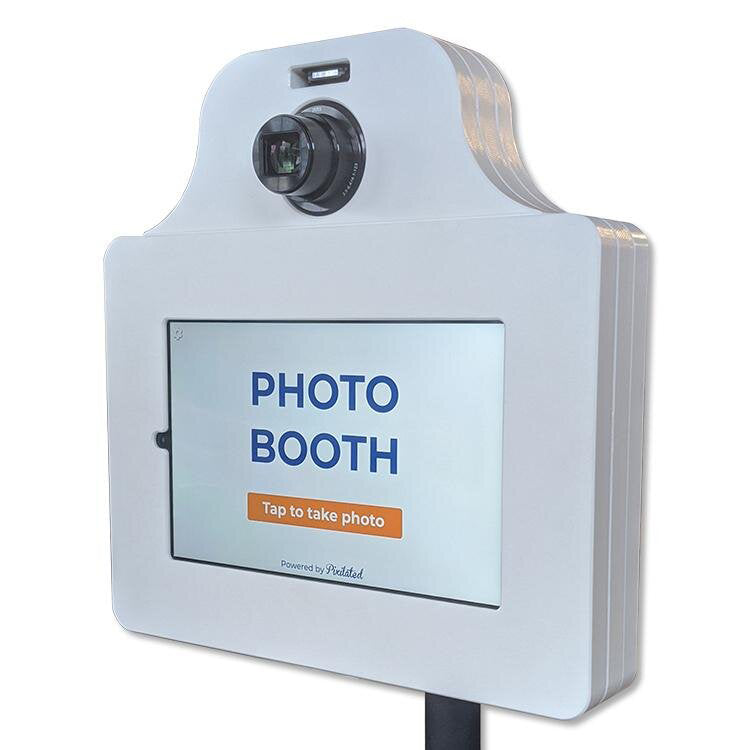
Pixilated Photo BoothCreating memorable moments at events has never been more accessible thanks to the rising popularity of do-it-yourself photo experiences. A diy photo booth transforms any celebration into an interactive experience where guests capture, customize, and share photos instantly. Whether you're planning a wedding, corporate event, birthday party, or fundraiser, building your own photo booth setup offers creative control, significant cost savings, and the satisfaction of personalizing every detail to match your vision. This comprehensive guide explores equipment options, setup strategies, and professional techniques to help you create a photo booth that rivals commercial installations.
Essential Equipment for Your DIY Photo Booth
Building a functional diy photo booth starts with selecting the right equipment. The foundation of any successful setup includes a camera or device, proper lighting, a backdrop, and a method for capturing and sharing images.
Camera and Device Options
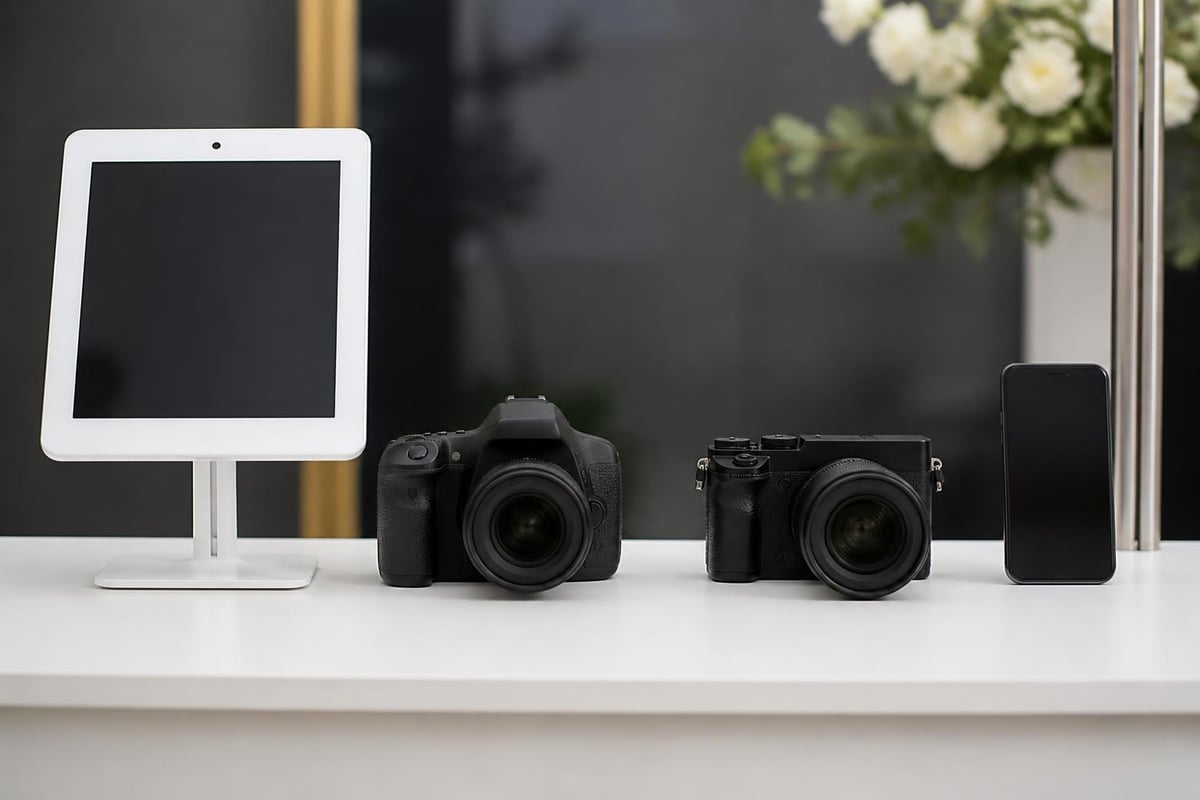
Your choice of camera determines the quality and functionality of your photo booth experience. Several options exist, each with distinct advantages:
- Tablet-based systems using iPads or Android devices offer portability and built-in touchscreen controls
- DSLR cameras deliver professional image quality with interchangeable lenses and manual settings
- Mirrorless cameras provide excellent image quality in a more compact form factor
- Smartphone setups work surprisingly well with modern cameras and specialized apps
The Simple Booth guide details various camera configurations and their respective benefits. For many event planners, tablet-based solutions strike the perfect balance between quality and ease of use.
Lighting Solutions
Professional lighting elevates photo quality dramatically. Poor lighting creates unflattering shadows and washed-out images, while proper illumination ensures every guest looks their best.
| Lighting Type | Best For | Price Range | Setup Complexity |
|---|---|---|---|
| Ring lights | Close-up shots, even illumination | $30-$150 | Low |
| Softbox kits | Professional quality, controlled direction | $100-$400 | Medium |
| LED panels | Adjustable brightness, color temperature | $50-$300 | Low |
| Natural light | Outdoor daytime events | Free | Weather-dependent |
Most successful diy photo booth setups utilize two-point lighting to eliminate harsh shadows. Position lights at 45-degree angles from your subjects for flattering, professional results.
Backdrop Design and Construction
The backdrop serves as the visual foundation for every photo. Creative backdrop choices transform ordinary snapshots into shareable memories that reflect your event's personality.
Popular Backdrop Materials
Creating an eye-catching backdrop doesn't require professional equipment or extensive budgets. Consider these proven options:
Fabric backdrops offer versatility and easy storage. Seamless paper rolls provide solid colors without wrinkles or texture. Floral walls create Instagram-worthy backgrounds perfect for weddings and upscale events. Shimmer curtains add sparkle and glamour to celebrations.
For budget-conscious planners, building a professional-quality setup for under $50 is entirely achievable with creative material sourcing.
Frame and Support Systems
Your backdrop requires stable support to prevent sagging or collapse during the event. PVC pipe structures offer lightweight, customizable frames that assemble quickly. Professional backdrop stands provide adjustable height and width for various spaces. Wall-mounted options work well for permanent or semi-permanent installations.
Measure your venue carefully before constructing backdrop supports. A standard diy photo booth requires 8-10 feet of width and 7-9 feet of height to accommodate group photos comfortably.
Software and Photo Sharing Technology
Modern photo booths excel at instant sharing, transforming physical photos into digital content that spreads across social media platforms.
Photo Booth Applications
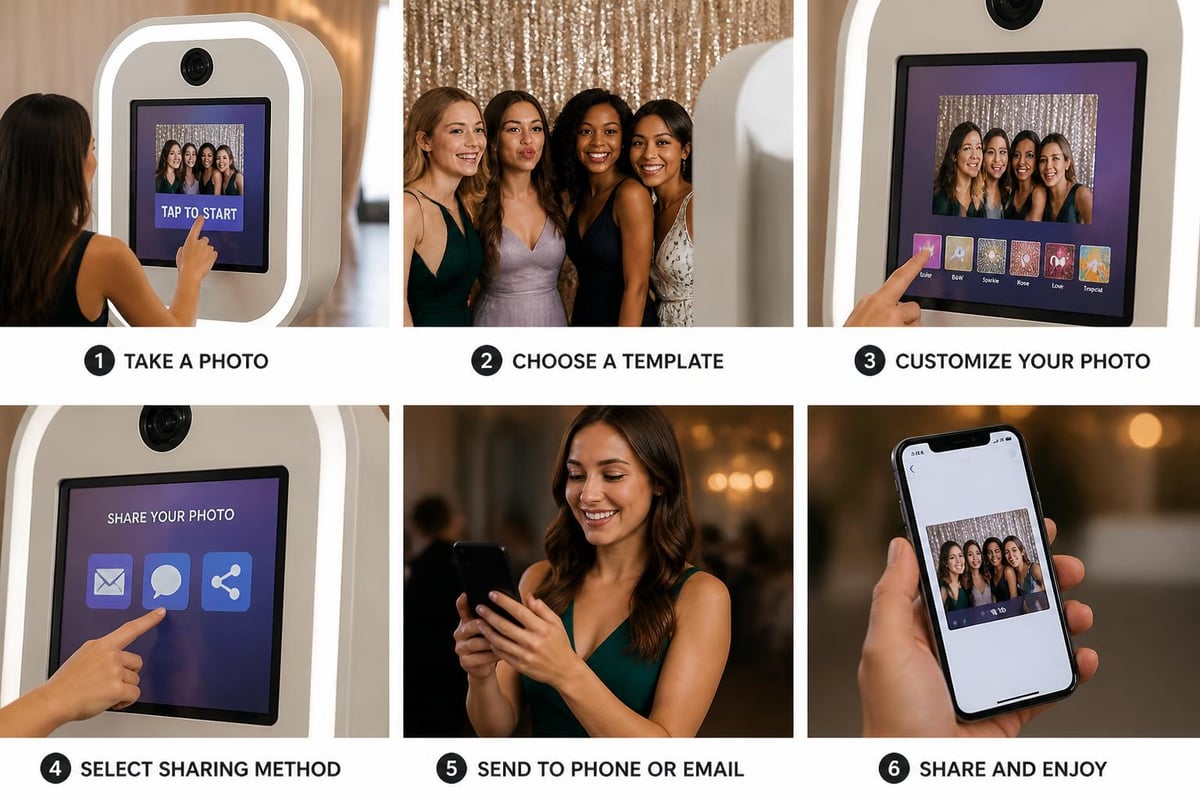
Specialized software turns basic camera setups into fully functional photo booths with professional features:
- Touchscreen interfaces that guide guests through the photo-taking process
- Customizable overlays featuring event logos, dates, or branded elements
- Instant filters and effects that add creative flair to images
- Email and SMS delivery for immediate photo sharing
- Social media integration enabling direct posting to Instagram, Facebook, and Twitter
The Threecus equipment guide provides detailed specifications for selecting compatible software and hardware combinations. Many applications offer free trials, allowing you to test features before committing to a purchase.
Printer Integration
While digital sharing dominates, physical prints remain popular at weddings and celebrations. Dye-sublimation printers produce lab-quality 4x6 prints in seconds. Instant cameras like modern Polaroid or Fujifilm Instax offer nostalgic charm with immediate gratification.
Consider your event type when deciding on printing. Corporate events often prioritize digital sharing for brand reach, while weddings typically appreciate tangible keepsakes. Many planners offer both options, maximizing guest satisfaction.
Setup and Space Requirements
Proper placement and configuration ensure smooth operation and guest flow throughout your event.
Venue Considerations
Choose a location with adequate space for both the photo booth and a queue of waiting guests. The ScanDigital setup guide recommends a minimum 10x10-foot area for comfortable operation.
Power access is critical for cameras, lighting, tablets, and printers. Verify electrical outlet locations before finalizing your setup position. Internet connectivity enables immediate photo sharing and cloud backup. Lighting conditions affect photo quality significantly, so avoid positioning your booth near windows with harsh direct sunlight or in overly dark corners.
Pre-Event Testing
Run complete system checks before guests arrive. Test the entire workflow from photo capture through sharing to identify technical issues. Verify printer paper levels and spare supplies. Ensure adequate battery backup for wireless devices. Create sample photos to confirm lighting and framing look correct.
Professional event planners arrive at least two hours early for setup and testing. This buffer prevents last-minute technical scrambles and ensures seamless operation.
Props and Guest Engagement
Creative props transform passive photo-taking into active entertainment that keeps guests returning throughout the event.
Prop Selection Strategies
The best prop collections balance variety with coherence. Include options that appeal to different demographics and personalities:
- Classic items like oversized glasses, hats, and mustaches
- Event-specific elements such as wedding signs or corporate branded items
- Seasonal accessories appropriate for the time of year
- Interactive pieces like chalkboard signs guests can customize
- Quality over quantity with 15-20 well-chosen items rather than 50 random props
Zola's comprehensive guide includes free printable prop templates you can customize for weddings and celebrations. This approach saves money while ensuring props match your color scheme perfectly.
Engagement Techniques
Maximize booth usage by implementing strategic engagement methods. Position signage prominently directing guests to the photo booth. Assign an attendant during peak hours to assist unfamiliar guests and encourage participation. Create contests or challenges rewarding creative photo submissions. Display a live photo feed on monitors showing recent booth activity.
For corporate events, incorporating branded elements and social media hashtags extends your event's reach far beyond the physical venue.
Cost Analysis and Budget Planning
Understanding the financial investment required helps you make informed decisions about building versus renting.
Equipment Investment Breakdown
| Component | DIY Budget Option | Mid-Range | Professional Grade |
|---|---|---|---|
| Camera/Tablet | $200-$400 | $500-$1,000 | $1,500-$3,000 |
| Lighting | $50-$100 | $150-$300 | $400-$800 |
| Backdrop & Stand | $30-$80 | $100-$200 | $300-$600 |
| Software | Free-$50 | $100-$300 | $500-$1,500 |
| Printer (optional) | $100-$200 | $300-$500 | $800-$1,500 |
| Total | $380-$830 | $1,150-$2,300 | $3,500-$7,400 |
Initial investment varies dramatically based on quality expectations and feature requirements. Budget-conscious planners can create functional setups for under $500, while those seeking professional-grade results should expect $2,000-$3,000 in equipment costs.
Rental Versus Ownership
For one-time events, equipment purchase may not make financial sense. Compare your total DIY costs against professional photo booth rental pricing to determine the most economical approach.
Rental advantages include professional setup assistance, technical support during the event, and no storage requirements. Ownership benefits encompass unlimited usage, complete customization freedom, and potential income from renting to others.
If you host events regularly or plan to offer photo booth services commercially, ownership justifies the investment. Single-use scenarios often favor rental solutions.
Technical Troubleshooting and Solutions
Even well-planned setups encounter occasional technical challenges. Preparation prevents minor issues from derailing your event.
Common Problems and Fixes
Camera connectivity issues often stem from Wi-Fi interference or Bluetooth pairing failures. Maintain a dedicated mobile hotspot for reliable connections. Software crashes require immediate device restarts and backup equipment on standby. Printer jams happen less frequently with regular maintenance and quality photo paper.
The photo booth equipment guide emphasizes redundancy as the best insurance against technical failures. Carry spare cables, backup batteries, extra printer paper, and a secondary tablet or camera.
Environmental Factors
Weather affects outdoor diy photo booth setups significantly. Wind topples lightweight backdrops and stands. Rain damages electronic equipment. Direct sunlight creates harsh shadows and screen glare.
Secure all components with weights or stakes. Use weatherproof enclosures for electronics. Position backdrops to block direct sun while maintaining adequate illumination. For critical outdoor events, rent tent coverage as insurance against unexpected weather changes.
Advanced Features and Upgrades
Once you master basic setup, advanced features elevate the guest experience and differentiate your booth from competitors.
Green Screen Technology
Green screen capabilities transport guests to any location imaginable. This technology requires specific green fabric, specialized lighting to eliminate shadows, and software that removes the background and replaces it with custom images.
The learning curve for green screen setup is steeper than traditional backdrops, but the creative possibilities justify the effort. Guests can appear on tropical beaches, famous landmarks, or custom branded environments.
Video and GIF Options
Static photos represent just one content format. Modern audiences embrace short-form video content and animated GIFs that capture movement and personality.
Boomerang-style loops create engaging social media content. Slow-motion video highlights candid moments and genuine reactions. Multi-photo GIF sequences tell mini-stories.
DigitalParty explores trending features including 360-degree video booths that create Matrix-style bullet-time effects. These advanced options require specialized equipment and higher budgets but generate impressive social media engagement.
Event-Specific Customization
Different event types demand tailored approaches to maximize impact and guest satisfaction.
Wedding Photo Booths
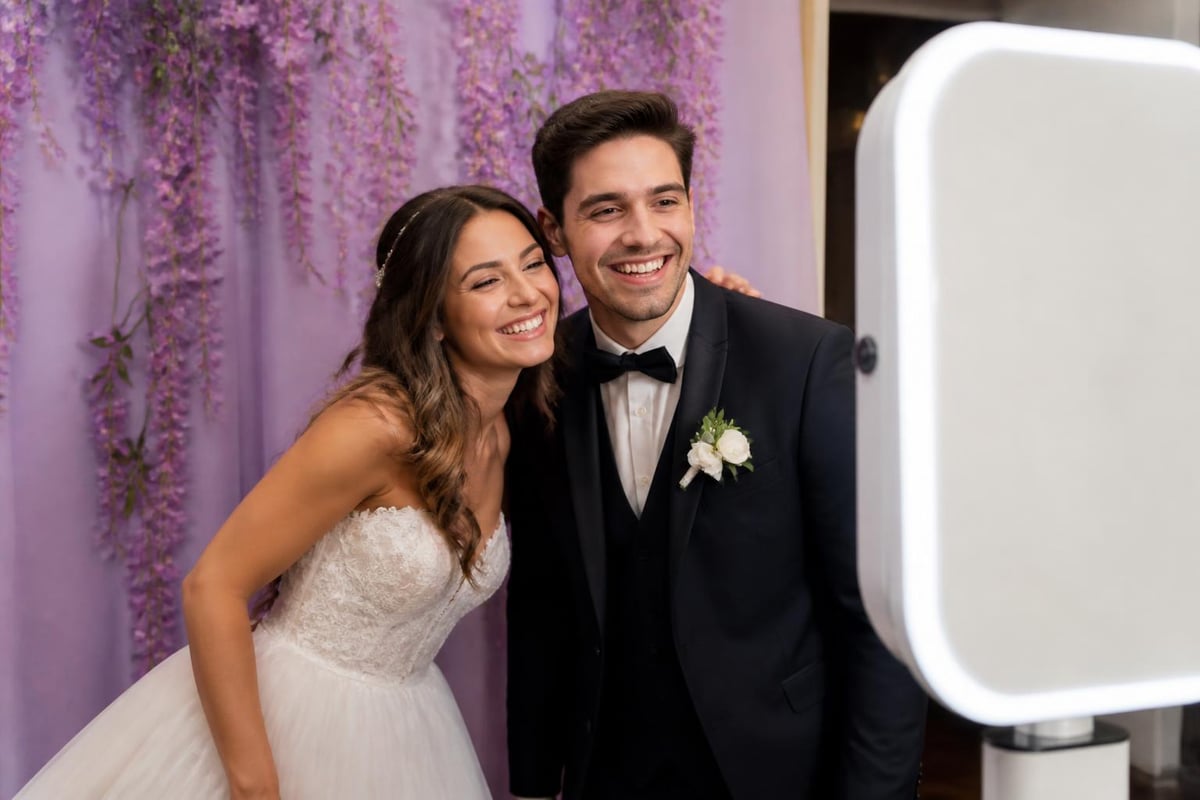
Wedding celebrations benefit from romantic aesthetics and keepsake-focused features. Elegant backdrops featuring florals, draping, or metallic accents complement ceremony décor. Custom overlays with the couple's names and wedding date create personalized mementos. Guest book alternatives allow attendees to leave photos and written messages.
Position wedding photo booths near the reception dance floor to capture high-energy moments. Schedule operation during cocktail hour and reception to maximize usage without competing with key ceremony moments.
Corporate Events
Business functions require different priorities than social celebrations. Brand visibility takes precedence through logo placement, custom overlays, and company colors. Data capture features collect guest information for marketing follow-up. Social media integration amplifies brand reach when guests share photos with event hashtags.
Professional equipment quality matters more at corporate events where photos reflect brand image. Consider professional-grade cameras and lighting to ensure polished results.
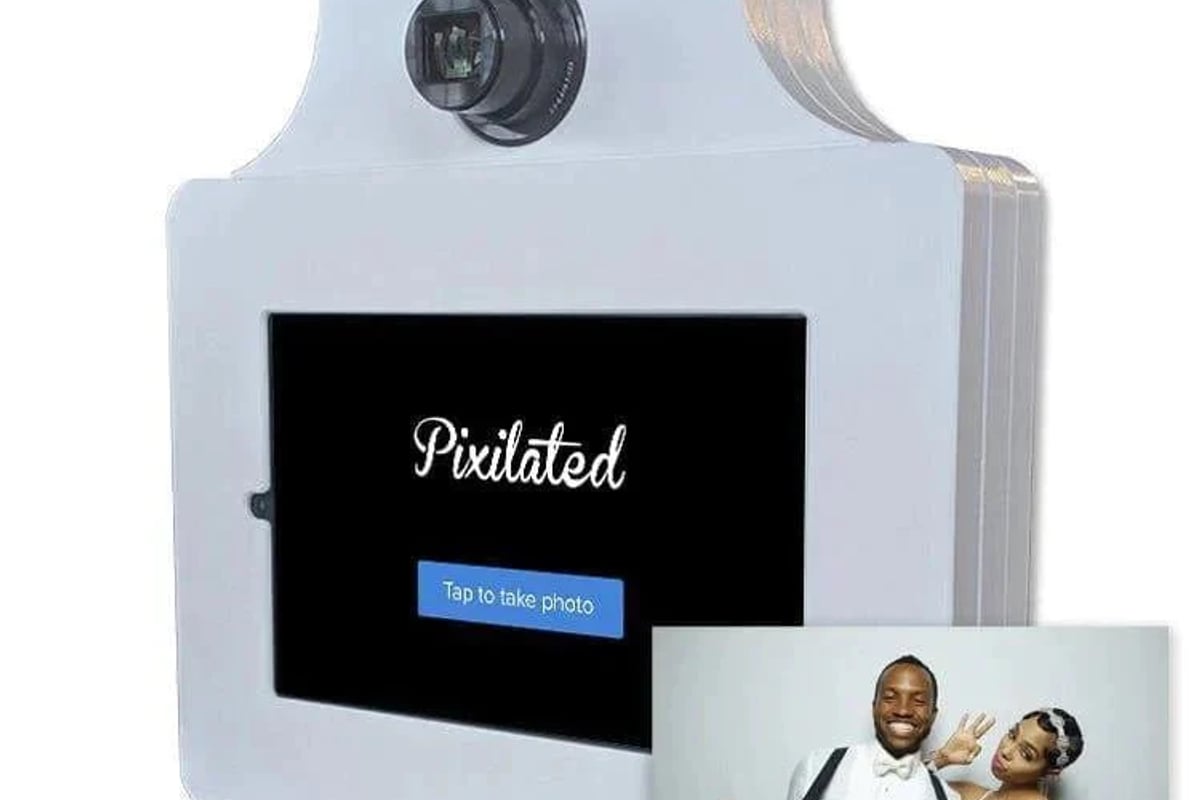
For companies seeking hassle-free solutions, the Pixilated Photo Booth ships directly to your venue with everything needed for professional results. The system includes intuitive touchscreen operation, instant digital sharing, and customizable branding options that align with corporate identity guidelines.
Birthday and Private Celebrations
Personal celebrations offer maximum creative freedom. Theme-based props and backdrops reflect the guest of honor's interests. Age-appropriate features ensure kids, teens, and adults all engage enthusiastically. Milestone markers like "Sweet 16" or "50 and Fabulous" signs become photo focal points.
Interactive elements work especially well at birthday parties. Chalkboard signs where guests write messages, oversized number balloons, and themed costumes all encourage participation.
Logistics and Timeline Management
Successful execution requires detailed planning beyond equipment selection and technical setup.
Pre-Event Preparation Checklist
Begin planning at least four weeks before your event. Order or construct backdrops, allowing time for shipping delays or construction challenges. Purchase or rent equipment, testing everything thoroughly before the event date. Design and print custom overlays, props, and signage. Create detailed setup diagrams showing equipment placement and electrical requirements.
Two weeks prior, confirm venue access times and restrictions. Verify internet availability and backup options. Recruit and brief any attendants or helpers. Finalize the photo delivery method and sharing hashtags.
One week out, conduct a complete dress rehearsal with all equipment. Take test photos under similar lighting conditions. Verify sufficient supplies including printer paper, ink, batteries, and spare parts.
Day-of-Event Operations
Arrive early allowing generous setup time. Professional planners recommend three hours for complex setups, two hours for standard configurations. Test all systems after assembly, taking sample photos to confirm quality.
Create a troubleshooting kit containing spare cables, batteries, cleaning supplies, tape, and tools. Assign someone to monitor the booth periodically, ensuring supplies remain stocked and equipment functions properly.
Plan breakdown logistics to avoid disrupting the event's conclusion. Some setups can operate until the final guest departs, while others require early removal for venue access reasons.
Legal and Permission Considerations
Operating a photo booth involves several legal considerations that protect both you and your guests.
Privacy and Consent
Obtain appropriate permissions for capturing and sharing guest photos. Display clear signage explaining that booth usage constitutes consent for photo capture and social media sharing. For events involving minors, implement additional consent protocols through event organizers or guardians.
Corporate events often require specific data handling procedures. Verify client requirements for photo storage, sharing permissions, and retention periods. Some organizations prohibit certain social media platforms or require photo approval before posting.
Insurance and Liability
Equipment damage, theft, or injury liability requires appropriate insurance coverage. Homeowner's policies rarely cover business use of photography equipment. Consider specialized event insurance or equipment riders that protect your investment.
If you're renting equipment rather than using your own, understand the rental company's damage policies and consider purchasing additional coverage for peace of mind.
Music and Copyright
Background music at events creates copyright considerations if photos capture audio. While most diy photo booth setups don't record sound, video features introduce music licensing requirements. Consult with event planners about venue music licenses covering photo booth operation.
Sustainability and Eco-Friendly Practices
Modern event planners increasingly prioritize environmental responsibility in all aspects of celebration planning.
Reducing Waste
Digital-first approaches minimize environmental impact while meeting guest expectations. Prioritize email and text sharing over physical prints, offering printing only upon request. Use recyclable or biodegradable prop materials instead of plastic accessories. Choose reusable backdrop materials rather than single-use decorations.
When printing is necessary, select eco-friendly photo paper and recycled printer supplies. Many manufacturers now offer sustainable options with minimal quality compromise.
Equipment Longevity
Invest in quality equipment that lasts years rather than disposable alternatives. Proper storage and maintenance extend equipment life significantly. Clean lenses and screens after each event. Store fabric backdrops properly to prevent wrinkles and damage. Update software regularly to maintain compatibility and security.
Quality equipment pays for itself through extended usability and reduced replacement costs. The environmental benefit of durable goods outweighs the initial cost premium.
Marketing Your DIY Photo Booth Services
If you plan to offer photo booth services commercially, effective marketing converts your investment into revenue.
Building Your Portfolio
Document every event with before, during, and after photos showcasing your setup capabilities. Collect guest testimonials and social media mentions demonstrating engagement and satisfaction. Create case studies highlighting different event types and customization options.
Your portfolio demonstrates versatility and quality to potential clients. Include examples of wedding photo booths, corporate events, birthday parties, and fundraisers showing your range.
Pricing Strategies
Research local market rates before establishing pricing. Consider package tiers offering basic, standard, and premium options. Include factors like event duration, guest count, customization complexity, and add-on features in your pricing structure.
Transparent pricing builds trust with potential clients. Clearly communicate what's included in base packages versus additional charges for extras like green screen, extended hours, or premium props.
Client Communication
Responsive communication separates professional services from amateur operations. Respond to inquiries within 24 hours. Provide detailed proposals outlining exactly what clients receive. Confirm all details in writing to prevent misunderstandings.
Pre-event consultations ensure you understand client vision and expectations. Post-event follow-up requesting feedback demonstrates professionalism and generates testimonials for future marketing.
Future Trends and Technology Evolution
The photo booth industry continues evolving with emerging technologies creating new possibilities for engagement and creativity.
Artificial Intelligence Integration
AI-powered features enhance guest experiences through automatic background removal, real-time beautification filters, and intelligent photo selection from burst sequences. Machine learning algorithms optimize lighting and exposure automatically, reducing technical expertise requirements.
Facial recognition technology enables personalized overlays and custom greetings for returning guests at multi-day events or annual celebrations.
Augmented Reality Features
AR technology superimposes digital elements onto real-world photos. Guests can wear virtual costumes, interact with 3D objects, or appear alongside digital characters. This technology requires specialized apps and compatible devices but creates unique experiences impossible with traditional photography.
As AR becomes more mainstream, expect increasing demand for these features at high-end events and corporate activations.
Social Media Integration Advances
Platform-specific features continue evolving. Direct Instagram Story posting, TikTok-ready vertical video, and LinkedIn-optimized business headshots represent specialized outputs catering to different audiences. Future integrations may include automatic hashtag suggestions, influencer identification, and engagement tracking.
The most successful diy photo booth operators stay current with social platform changes, adapting features to match audience preferences.
Creating a professional diy photo booth requires careful planning, appropriate equipment selection, and attention to detail that elevates ordinary events into memorable experiences. Whether you're building a booth for a single celebration or launching a rental business, the strategies outlined here provide the foundation for success. When you need reliable, professional-grade equipment without the complexity of building from scratch, Pixilated Photo Booth delivers modern photo booth kits directly to your venue, combining DIY convenience with commercial-quality results that keep guests engaged and sharing throughout your event.