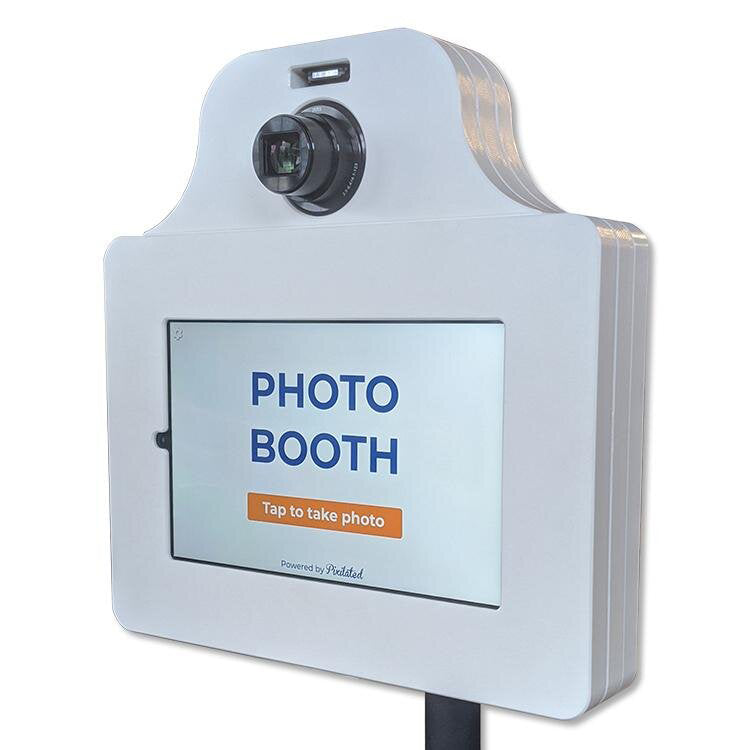
Photo Booth App for Events: Features & Selection Guide
Pixilated Photo BoothEvent planners and businesses increasingly rely on digital solutions to create memorable guest experiences without the overhead of traditional staffed services. A photo booth app for events transforms ordinary tablets and smartphones into professional-grade photo capture stations, offering instant sharing capabilities, custom branding, and interactive features that keep guests engaged throughout any celebration. This technology shift allows event hosts to control costs while maintaining the quality and fun that photo booths bring to weddings, corporate gatherings, and private parties.
Understanding Photo Booth App Technology
Modern photo booth applications have evolved far beyond simple camera filters and frames. These sophisticated software solutions now power everything from intimate birthday parties to large-scale corporate activations, delivering professional results through consumer-grade devices.
The foundation of any quality photo booth app for events centers on reliability and ease of use. When hundreds of guests line up to capture memories, the app must perform consistently without crashes, freezes, or technical complications. Professional-grade applications include offline functionality, automatic image backup, and intuitive interfaces that require zero technical knowledge from users.
Core Functionality Requirements
Event photo booth apps must deliver specific capabilities to meet professional standards:
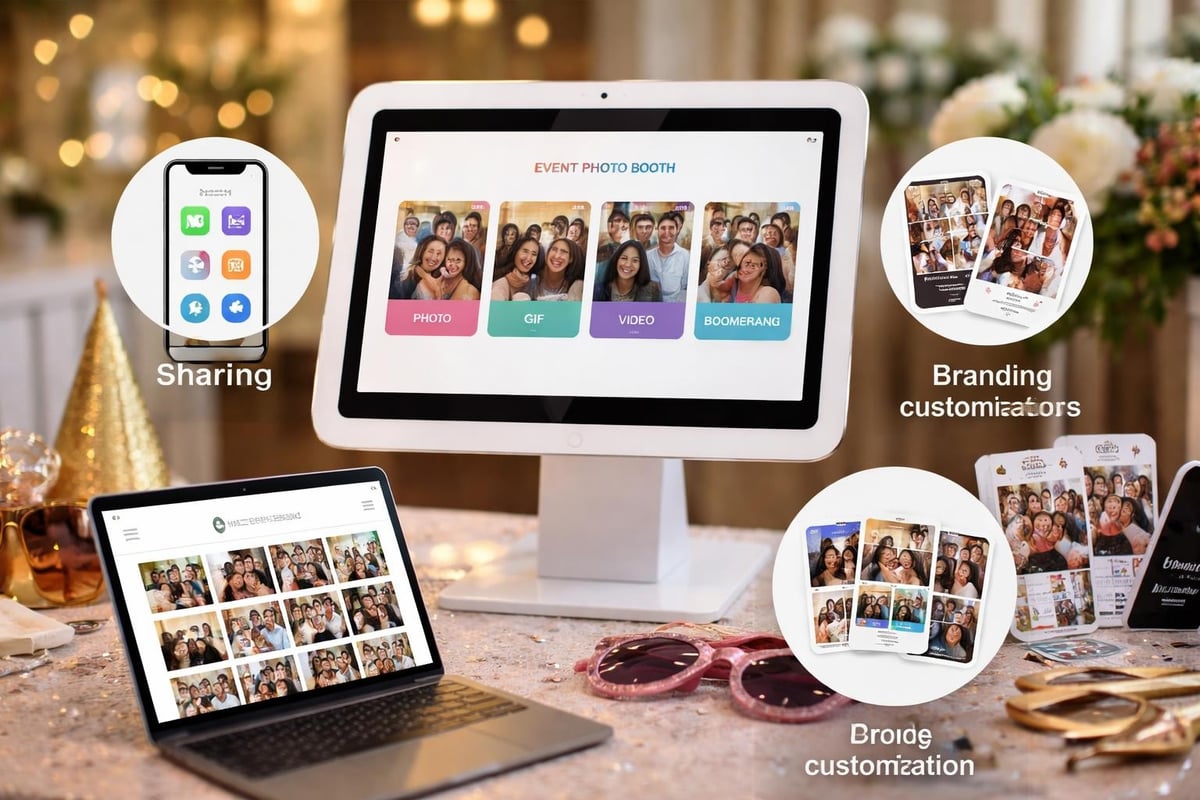
- Multiple capture modes including still photos, GIFs, boomerangs, and video messages
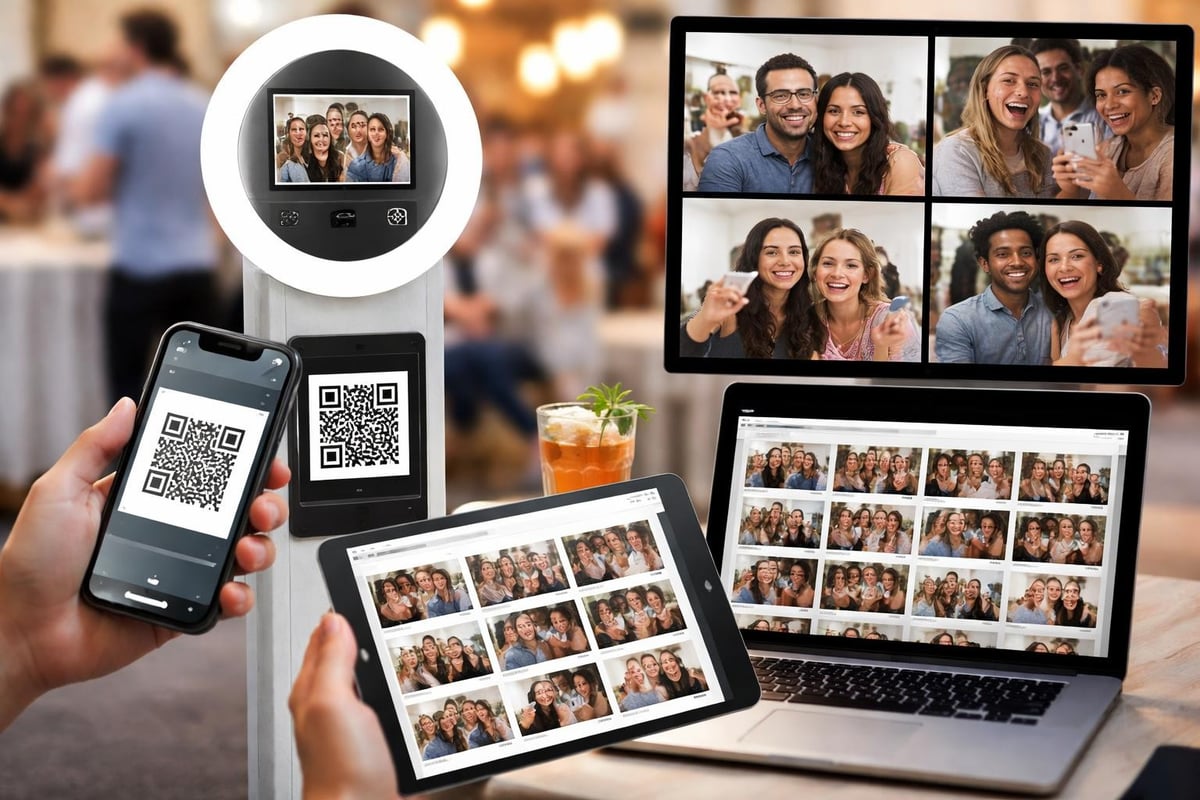
- Instant digital sharing via email, SMS, QR codes, or social media platforms
- Custom branding options for logos, overlays, and personalized templates
- Gallery management with cloud storage and post-event download features
- Print queue integration for physical photo output when connected to compatible printers
Hardware compatibility represents another critical consideration. Apps like Touchpix support multiple device platforms, while others restrict functionality to specific operating systems. Understanding these limitations prevents costly mistakes when selecting equipment for your event setup.
Platform Compatibility and Device Selection
Choosing between iOS and Android platforms significantly impacts your photo booth app for events performance and capabilities. Each ecosystem offers distinct advantages depending on your event type and technical requirements.
iOS Photo Booth Solutions
Apple's ecosystem provides tightly integrated hardware and software, resulting in consistent performance across devices. The Photo Booth App for Events exemplifies this approach, transforming iPads into comprehensive photo capture stations. iPad-based solutions offer superior camera quality, larger displays for guest interaction, and seamless integration with AirPrint-compatible photo printers.
Booth.Events provides another robust iPad option featuring white-labeling capabilities, essential for businesses building their brand identity. The platform includes camera connectivity options that allow DSLR integration, elevating image quality beyond standard tablet cameras.
Android Alternatives
Android applications like Touchpix Photo & Video Booth deliver comparable functionality with broader device compatibility. The platform supports offline operation, crucial for outdoor events or venues with unreliable internet connectivity. GoPro integration and 360-degree photo capabilities distinguish these solutions for action-oriented events.
| Platform | Advantages | Limitations |
|---|---|---|
| iOS | Consistent performance, superior cameras, AirPrint support | Higher device costs, limited hardware options |
| Android | Device variety, lower entry cost, broader compatibility | Performance varies by device, less standardization |
| Cross-platform | Flexibility, scalable investment | May sacrifice platform-specific optimizations |
Budget considerations often drive platform selection. Android tablets typically cost 30-50% less than comparable iPads, making them attractive for businesses building multiple booth setups. However, the premium build quality and longer device lifespan of Apple products can justify the initial investment for professional event companies.
Essential Features for Professional Events
The difference between amateur and professional photo booth experiences lies in feature depth and customization capabilities. A comprehensive photo booth app for events must balance user-friendliness with powerful backend controls.
Customization and Branding
Brand consistency transforms generic photo experiences into powerful marketing tools. Corporate events, product launches, and brand activations require sophisticated branding options that extend beyond simple logo overlays. Leading applications allow custom color schemes, animated overlays, themed templates, and even augmented reality filters aligned with event themes.
Customized design options enable event planners to create cohesive visual experiences that reinforce brand messaging or celebrate personal milestones. Wedding monograms, company logos, and event hashtags seamlessly integrate into photo layouts, ensuring every shared image extends your event's reach.

SelfieMate demonstrates the importance of layout flexibility, offering various configurations for images, boomerangs, and GIFs. This versatility ensures the photo booth adapts to different event phases, from formal ceremonies to casual networking sessions.
Data Collection and Analytics
Modern event marketing extends beyond the celebration itself. Smart photo booth apps capture valuable attendee data while delivering entertainment:
- Email capture integration builds marketing lists from engaged participants
- Social media analytics track shares, impressions, and engagement metrics
- Usage reports reveal peak activity times and popular features
- Guest demographics inform future event planning decisions
These capabilities transform photo booths from simple entertainment into strategic event marketing tools. Understanding photo booth ideas for events helps planners maximize both guest enjoyment and data collection opportunities.
Security and Privacy Considerations
Recent security vulnerabilities in commercial photo booth systems highlight the critical importance of data protection. A security breach affecting a popular photo booth maker demonstrates how easily guest images and personal information can be exposed without proper safeguards.
Professional-grade apps implement multiple security layers:
- Encrypted data transmission protects images during upload and sharing
- Secure cloud storage with enterprise-grade access controls
- GDPR compliance for events serving European attendees
- Automatic image deletion after specified retention periods
- Password-protected galleries restricting access to authorized viewers
For corporate events, particularly those involving proprietary information or sensitive discussions, security features become non-negotiable. Event planners must verify that their chosen photo booth app for events meets industry security standards before deployment.

Pricing Models and Total Cost Analysis
Understanding the true cost of photo booth app solutions requires looking beyond subscription fees to encompass hardware, support, and operational expenses.
Subscription vs. One-Time Purchase
The market splits between recurring subscription models and one-time purchase applications. Beagle Booth markets itself specifically as a subscription-free option, appealing to occasional users who dislike ongoing fees. This approach works well for personal events but may lack the continuous updates and support required for professional operations.
Monthly subscription services typically range from $20 to $100 per month depending on feature sets:
- Basic tier ($20-40/month): Single device, limited branding, standard sharing
- Professional tier ($50-80/month): Multiple devices, full customization, analytics
- Enterprise tier ($100+/month): White labeling, API access, priority support
Comparing these costs against traditional photo booth rental expenses reveals significant long-term savings for frequent event hosts. A single weekend rental from a staffed service can exceed the annual cost of a professional app subscription.
Hidden Costs and Considerations
Budget planning must account for expenses beyond the app itself:
- Device purchases: Tablets range from $200 (entry-level Android) to $800+ (iPad Pro)
- Lighting equipment: Ring lights and LED panels improve photo quality ($50-200)
- Tripods and stands: Stable mounting solutions prevent accidents ($40-150)
- Props and backdrops: Physical elements enhance guest engagement ($100-500)
- Printer integration: Optional but popular for instant physical prints ($200-600)
Understanding photo booth rates in your market helps evaluate whether DIY app-based solutions or professional rentals better serve specific event needs.
Implementing Apps for Different Event Types
A photo booth app for events must adapt to varied environments, from elegant weddings to high-energy corporate activations. Each event category presents unique requirements and optimization opportunities.
Corporate Events and Activations
Business events prioritize brand visibility, lead generation, and professional image quality. Apps serving corporate clients need robust analytics dashboards, CRM integration capabilities, and sophisticated branding tools. Corporate event photo booths often incorporate custom surveys, product information overlays, and social media contest integrations that extend marketing reach beyond the event itself.
Trade show activations benefit from apps with rapid throughput capabilities, processing hundreds of guests hourly without performance degradation. Queue management features and multi-device synchronization prevent bottlenecks during peak traffic periods.
Wedding and Private Celebrations
Personal celebrations emphasize guest experience over marketing metrics. Wedding photo booth apps should offer:
- Elegant template designs matching ceremony aesthetics
- Guest book features combining photos with written messages
- Private gallery access restricted to invited guests only
- High-resolution output suitable for printing and albums
The emotional component of weddings demands exceptional reliability. Technical failures during once-in-a-lifetime moments create lasting negative impressions, making reputation and support quality crucial selection factors.
Educational and Community Events
Schools, universities, and community organizations operate within constrained budgets while serving large attendance numbers. These events need:
- Simple setup procedures requiring minimal technical expertise
- Content filtering preventing inappropriate captures
- Multiple language support for diverse communities
- Accessibility features accommodating guests with disabilities
Cost-effective solutions that sacrifice some advanced features for simplicity and reliability often serve these markets best.
Advanced Features and Emerging Technologies
Innovation continues reshaping what photo booth apps can deliver at events. Cutting-edge applications now incorporate technologies that seemed impossible just years ago.
Augmented Reality and Special Effects
AR filters and virtual props have migrated from Snapchat to professional event applications. Guests can pose with virtual products, branded elements, or themed decorations without physical props. This technology particularly appeals to product launches, allowing attendees to interact with items not physically present at events.
Green screen functionality, when combined with powerful apps like ZillaBooth, transports guests to custom backgrounds ranging from exotic locations to branded environments. This feature creates consistent backdrop aesthetics regardless of actual venue limitations.
Virtual and Hybrid Event Integration
The shift toward virtual and hybrid events demands photo booth solutions that work across physical and digital environments. PixiWeb addresses this need with virtual photo booth capabilities allowing remote participants to upload photos via QR codes. Live slideshows aggregate submissions from both in-person and remote attendees, creating unified visual experiences.
This integration proves essential for 2026 events where attendee groups increasingly span multiple locations simultaneously.
Setup and Operational Best Practices
Even the most sophisticated photo booth app for events fails without proper implementation. Success requires attention to physical setup, user flow optimization, and proactive troubleshooting.
Physical Setup Optimization
Strategic booth placement dramatically impacts usage rates and guest satisfaction:
- Position near high-traffic areas but away from crowded bottlenecks
- Ensure adequate lighting with supplemental equipment when needed
- Create clear approach paths that naturally guide guests to the booth
- Display simple instructions using signs or tablet overlays
- Maintain comfortable waiting areas during peak usage times
Creating customized backdrops enhances photo quality while reinforcing event themes. Simple, clean backgrounds work better than busy patterns that compete with guests for visual attention.
Technical Preparation Checklist
Professional setups require systematic preparation:
| Task | Timing | Priority |
|---|---|---|
| Charge all devices to 100% | Night before | Critical |
| Download app updates | 2-3 days before | High |
| Test all capture modes | Day before | Critical |
| Verify sharing functionality | Day before | High |
| Configure custom branding | Week before | Medium |
| Train event staff on troubleshooting | Week before | High |
Internet connectivity represents the most common technical challenge. While many apps offer offline modes, sharing capabilities require network access. Venues with unreliable WiFi may necessitate cellular hotspots to ensure consistent performance throughout events.
Comparing Popular Photo Booth Apps
Market leaders differentiate themselves through specialized features, target audiences, and pricing strategies. Understanding these distinctions helps match apps to specific event requirements.
Feature Comparison Matrix
| App Feature | Entry-Level Apps | Professional Apps | Enterprise Solutions |
|---|---|---|---|
| Custom branding | Limited overlays | Full customization | White labeling |
| Offline functionality | Rarely supported | Standard feature | Advanced caching |
| Multi-device sync | Not available | 2-5 devices | Unlimited devices |
| Analytics dashboard | Basic counts | Detailed metrics | Custom reporting |
| Support response | Email only | Priority email | Dedicated account rep |
Apps targeting consumer markets emphasize simplicity and low costs, while professional solutions trade some user-friendliness for powerful customization and business features. Enterprise platforms serve agencies and rental companies managing dozens of simultaneous events.
User Reviews and Real-World Performance
Beyond marketing claims, actual user experiences reveal crucial insights. Professional event planners consistently prioritize reliability over feature quantity, recognizing that a simplified app that never crashes outperforms a feature-rich solution prone to technical failures.
Support responsiveness separates quality providers from mediocre options. When issues arise during live events, immediate assistance prevents minor glitches from becoming major disasters. Apps with active user communities, comprehensive documentation, and responsive support teams earn strong recommendations despite sometimes lacking the latest features.
Integration with Existing Event Technology
Modern events employ multiple technology platforms working in concert. Photo booth apps must integrate smoothly within broader event technology ecosystems rather than operating as isolated systems.
Social Media and Marketing Platforms
Seamless social sharing extends event reach far beyond physical attendees. Every shared photo becomes free marketing, exposing brands to followers' networks. Quality apps automatically resize images for optimal display across platforms, add event hashtags, and track sharing metrics.
Integration with marketing automation platforms allows photo booth data to flow into broader customer relationship management systems. Email addresses collected through photo sharing can trigger automated follow-up sequences, nurturing leads generated during events.
Event Management Systems
Enterprise event management platforms increasingly expect photo booth integration. API connections allow photo galleries to embed directly into event websites, registration confirmations to include booth location details, and attendance tracking systems to cross-reference photo participation with registration data.
This integration level transforms photo booths from entertainment additions into strategic event components generating valuable attendee insights.
Future Trends and Technological Evolution
The photo booth app for events category continues evolving rapidly, with several emerging trends poised to reshape the market through 2026 and beyond.
Artificial Intelligence and Automation
AI-powered features now handle tasks previously requiring human intervention:
- Automatic photo curation identifies and promotes the best captures
- Facial recognition groups photos by individual attendees
- Smart cropping and enhancement optimizes images without manual editing
- Predictive analytics forecast optimal booth placement and timing
These capabilities reduce operational complexity while improving output quality, particularly valuable for events with limited staff support.
Hardware Innovation
Companies like Fujifilm entering the photo booth space with purpose-built devices like the Instax Spot blur lines between dedicated hardware and app-based solutions. These hybrid approaches combine tablet app flexibility with specialized cameras and instant printing mechanisms.
The trend suggests future photo booth apps may increasingly target purpose-built hardware rather than generic tablets, offering superior performance while maintaining software flexibility through regular updates.
Sustainability and Environmental Considerations
Growing environmental awareness influences photo booth technology decisions. Digital-first approaches that minimize printing align with corporate sustainability initiatives. Apps offering carbon offset calculations for events or partnering with environmental organizations appeal to socially conscious event planners.
Virtual elements replacing physical props reduce waste while maintaining guest engagement, particularly appealing to organizations with strong environmental commitments.
Selecting the right photo booth app for events transforms ordinary gatherings into memorable, shareable experiences while collecting valuable data and extending marketing reach. The ideal solution balances reliability, customization capabilities, and cost-effectiveness aligned with your specific event requirements and technical comfort level. Whether you're planning corporate activations, weddings, or community celebrations, Pixilated Photo Booth delivers professional-grade DIY photo booth rentals that make it easy to create high-quality, shareable photo experiences without the complexity of traditional staffed services.