Photo Booth Box: Complete Guide for Event Success
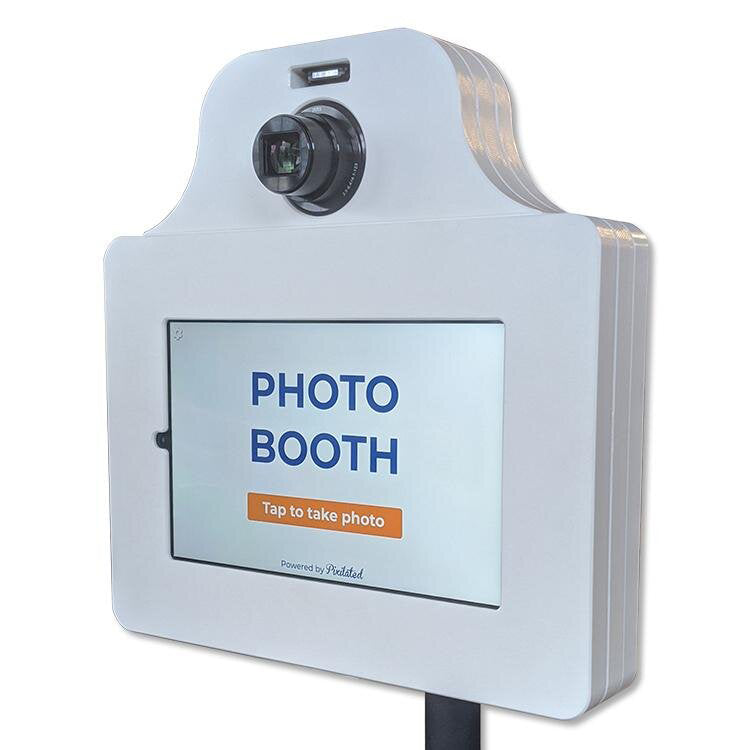
Pixilated Photo BoothA photo booth box represents the physical and technical foundation of any modern photo booth experience. Whether you're building a DIY setup for personal events or investing in professional equipment for a rental business, understanding the components, design considerations, and operational elements of a photo booth box is essential. This comprehensive guide explores everything from construction materials and software integration to customization options and event-specific applications, helping you create memorable experiences that guests will share long after your event concludes.
Understanding the Photo Booth Box Fundamentals
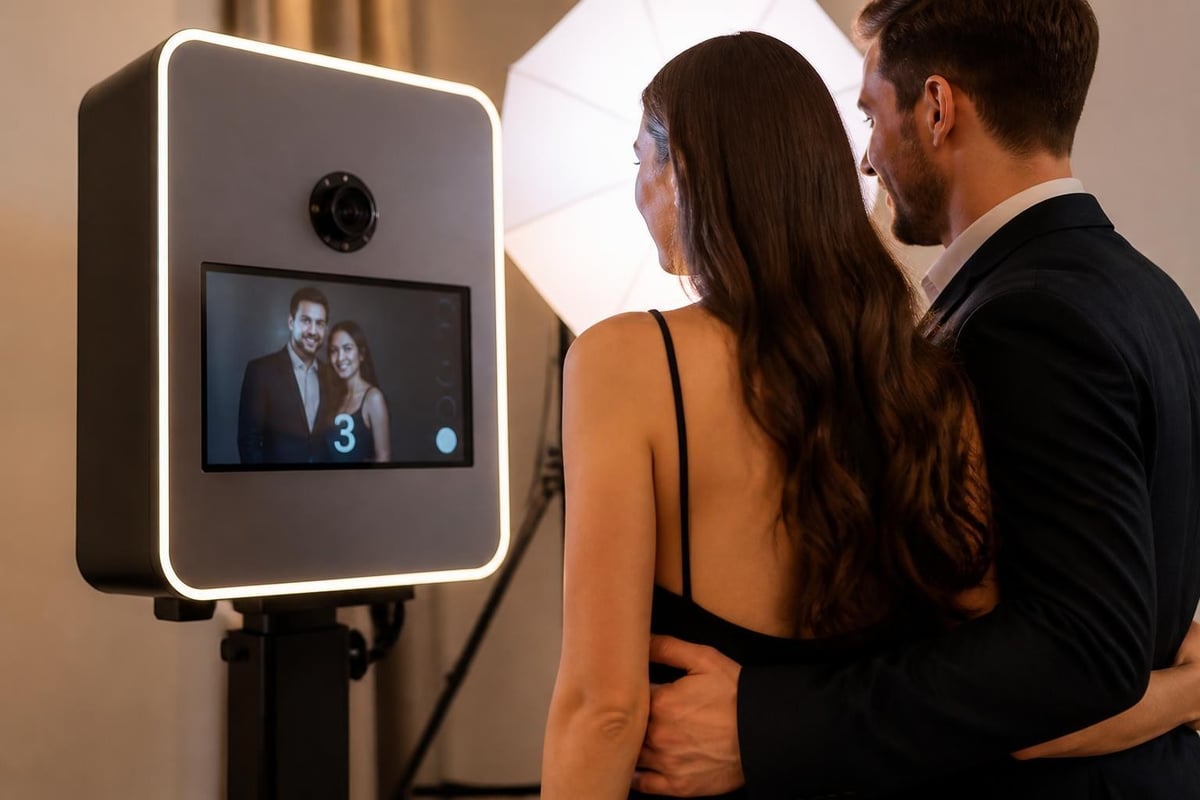
The term "photo booth box" encompasses both the physical enclosure and the integrated system that captures, processes, and delivers photos. At its core, this setup combines hardware elements like cameras, lighting, and displays with sophisticated software that manages the user experience. The enclosure itself serves multiple purposes: protecting expensive equipment, providing a branded visual presence, and creating an intimate space where guests feel comfortable expressing themselves.
Modern photo booth boxes have evolved significantly from traditional enclosed booths. Today's designs range from compact tabletop units to full-scale branded structures. The flexibility in size and configuration allows event planners to adapt the booth to various venues, from intimate wedding receptions to expansive corporate event photo booth rental installations.
Core Components Every Photo Booth Box Needs
Building or selecting a photo booth box requires careful consideration of several essential components:
- Camera system: DSLR or mirrorless cameras provide superior image quality compared to webcams
- Lighting setup: Ring lights, softboxes, or LED panels ensure consistent, flattering illumination
- Display screen: Touch-enabled monitors or tablets for user interaction and photo preview
- Computer or controller: Processes images and runs photo booth software
- Enclosure materials: Wood, aluminum profiles, or portable fabric structures
- Backdrop system: Integrated or separate backdrop support for clean backgrounds
The integration of these components determines the overall functionality and reliability of your photo booth box. Professional setups often incorporate redundant systems to prevent technical failures during critical moments.
Building Your Own Photo Booth Box
Constructing a DIY photo booth box offers significant cost savings and complete customization control. The building process typically takes 20-30 hours for first-time builders with basic carpentry skills. Many event professionals start with DIY photo booth construction plans that provide detailed measurements and assembly instructions.
Material Selection and Construction Approach
When planning your build, consider these popular construction methods:
| Material Type | Pros | Cons | Best For |
|---|---|---|---|
| Plywood/MDF | Sturdy, paintable, professional appearance | Heavy, not portable | Permanent installations |
| Aluminum Profiles | Lightweight, modular, easy assembly | Higher cost, exposed framework | Professional rental setups |
| PVC Pipe | Ultra-portable, inexpensive | Less stable, casual appearance | Occasional personal use |
| Fabric Enclosures | Collapsible, easy transport | Requires frame, less protection | Mobile event services |
For those seeking professional-grade construction materials, aluminum profile systems offer exceptional durability and a clean, modern aesthetic. These modular systems allow for quick assembly and disassembly, making them ideal for rental businesses that transport equipment frequently.
The physical dimensions of your photo booth box should accommodate your expected group sizes. Standard configurations range from 4x4 feet for individual and couple shots to 8x8 feet for larger group photos. Remember to account for camera distance, lighting placement, and comfortable guest movement within the space.
Electrical and Cable Management
Professional photo booth boxes incorporate thoughtful cable management to prevent tripping hazards and maintain a clean appearance. Run power cables through enclosed channels or use cable raceways mounted to the interior walls. Most setups require at least three power outlets: one for the camera/computer, one for lighting, and one for the display screen.
Battery backup systems provide insurance against venue power issues. A quality uninterruptible power supply (UPS) keeps your photo booth box operational during brief outages and allows for graceful shutdowns if power loss extends longer.
Software Solutions for Photo Booth Box Operations
The software powering your photo booth box determines the user experience, customization capabilities, and sharing options available to guests. Selecting the right platform involves balancing features, ease of use, and compatibility with your hardware configuration.
Professional photo booth software platforms offer comprehensive feature sets that transform a basic photo booth box into an interactive experience center. Essential photo booth software features include customizable user interfaces, multiple capture modes, instant sharing capabilities, and brand integration options.
Comparing Leading Software Platforms
Different software solutions cater to varying business models and technical expertise levels:
Windows-Based Solutions: Platforms like Breeze Software provide complete control over every aspect of the user experience. These systems excel in professional environments where customization and reliability are paramount. Windows-based software typically offers the widest camera compatibility and most extensive feature sets.
iPad/Tablet Applications: Mobile-first solutions offer portability and intuitive touchscreen interfaces. These applications simplify setup and reduce equipment costs since tablets combine the display, computer, and touchscreen into a single device. Modern tablet-based systems rival traditional setups in capabilities while maintaining superior portability.
Cloud-Managed Platforms: Solutions with cloud integration enable remote monitoring, template updates, and real-time analytics. This approach proves especially valuable for rental businesses managing multiple photo booth boxes across different events simultaneously.
Advanced features like AI-powered enhancements, augmented reality filters, and gamification elements distinguish premium software platforms. AI-powered photo booth software can automatically adjust lighting, remove blemishes, and apply sophisticated filters that previously required manual editing.
Customization and Branding Strategies
Transforming a generic photo booth box into a branded experience center amplifies event impact and creates lasting impressions. Customization extends beyond simple logo placement to encompass every visual and interactive element guests encounter.
Physical Branding Approaches
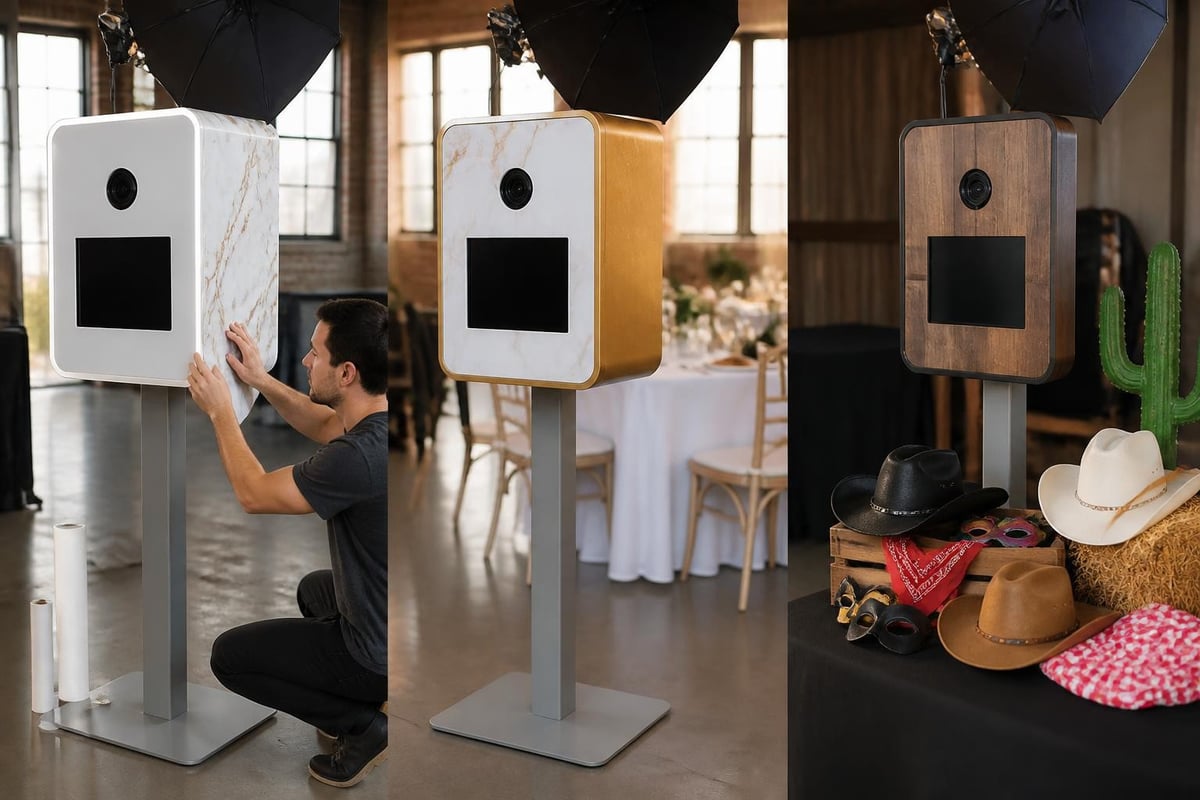
- Vinyl wrapping: Full-coverage graphics transform the exterior into a branded canvas
- Interchangeable panels: Modular design allows quick branding changes between events
- LED lighting: Programmable RGB lights match brand colors or event themes
- Custom backdrops: Branded or themed backgrounds integrated with the booth structure
- Props and accessories: Curated collections that reinforce event themes
Digital customization offers even greater flexibility. Photo templates, on-screen graphics, and user interface elements can be tailored to match specific brand guidelines or wedding themes. Most professional software platforms include template editors that require no design experience.
For businesses offering photo booth rentals, maintaining a library of pre-designed templates speeds setup and ensures consistent quality across events. Creating category-specific collections for weddings, corporate events, birthdays, and holidays streamlines the customization process.
Event-Specific Photo Booth Box Configurations
Different event types demand distinct photo booth box configurations and feature sets. Understanding these variations helps you optimize setups for maximum guest engagement and client satisfaction.
Wedding Photo Booth Boxes
Wedding configurations prioritize elegance, reliability, and shareability. Couples typically request sophisticated backdrops, romantic lighting, and templates that incorporate their wedding colors and monograms. The photo booth box itself often features premium finishes that complement upscale venues.
Key wedding features include:
- Instant printing capabilities for guest book alternatives
- Social media sharing with custom hashtags
- Elegant prop collections appropriate for formal settings
- Guestbook integration where prints accompany written messages
Corporate Event Setups
Corporate photo booth boxes emphasize brand visibility, data capture, and professional image quality. These setups frequently incorporate company logos prominently and use branded templates that guests share on social media, extending marketing reach beyond the event itself.
Professional event planners appreciate features like email list capture, which proves invaluable for follow-up marketing. When guests use a photo booth box at trade shows or company celebrations, capturing their contact information creates opportunities for continued engagement long after the event concludes.
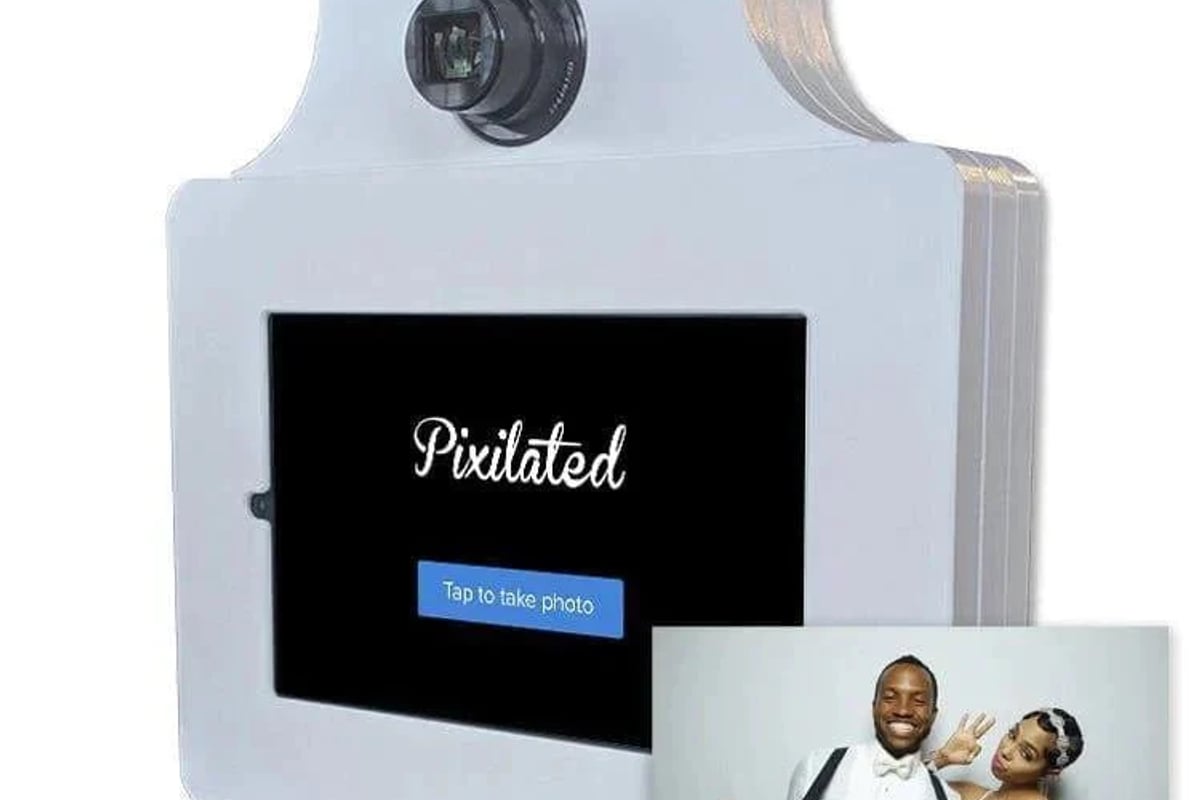
The Pixilated Photo Booth delivers professional-grade results with easy setup, making it an excellent choice for corporate clients who need reliable performance and premium image quality. Its intuitive interface ensures smooth operation throughout multi-day conferences or evening galas.
Festival and High-Volume Events
Large-scale events require photo booth boxes optimized for speed and durability. These configurations prioritize fast capture-to-output cycles, rugged construction that withstands heavy use, and simplified interfaces that require minimal explanation.
Consider these high-volume optimizations:
- Streamlined capture process: Reduce steps between sessions to increase throughput
- Duplicate hardware: Secondary camera or printer prevents single points of failure
- Automated cleaning cycles: Timed restarts prevent software slowdowns
- Crowd management features: On-screen queue displays or numbered tickets
- Weather protection: Enclosed designs protect equipment at outdoor venues
Technical Considerations and Troubleshooting
Operating a photo booth box professionally requires understanding common technical challenges and implementing preventive measures. Most issues fall into predictable categories that become easier to address with experience.
Internet Connectivity Solutions
Many modern photo booth boxes rely on internet connectivity for social sharing, email delivery, and cloud backup. Venue WiFi networks often prove unreliable due to network congestion or inadequate coverage. Professional operators carry backup connectivity solutions, including mobile hotspots with unlimited data plans.
Offline modes provide fallback functionality when connectivity fails. Quality photo booth software stores photos locally and queues sharing requests until connectivity restores. This ensures guests can continue capturing memories even during network outages.
Lighting Consistency Across Venues
Ambient lighting varies dramatically between venues, affecting photo quality and requiring adjustments to your photo booth box lighting setup. Carrying adjustable LED panels allows you to compensate for dim reception halls or harsh overhead fluorescents.
Professional configurations use three-point lighting systems that create flattering, consistent illumination regardless of venue conditions. This approach involves a key light (primary illumination), fill light (softens shadows), and backlight (creates depth and separation from backgrounds).
Maintenance and Longevity Best Practices
Protecting your investment in photo booth box equipment requires regular maintenance and proper handling procedures. Professional-grade equipment withstands hundreds of events when properly maintained but fails prematurely with neglect.
Regular Maintenance Schedule
| Maintenance Task | Frequency | Purpose |
|---|---|---|
| Lens cleaning | Before each event | Ensures sharp, clear images |
| Software updates | Monthly | Security patches, new features |
| Connection testing | Before each event | Prevents mid-event failures |
| Backup verification | Weekly | Protects against data loss |
| Physical inspection | Before transport | Identifies damage before it worsens |
Proper storage between events extends equipment life significantly. Store your photo booth box in climate-controlled environments to prevent moisture damage to electronics. Remove batteries from wireless components during extended storage periods.
Transportation presents the highest risk of equipment damage. Invest in quality cases with foam inserts custom-cut to your specific components. Label all cases clearly and maintain detailed packing lists to ensure nothing gets left behind at venues.
Maximizing Revenue with Your Photo Booth Box
For rental businesses, optimizing your photo booth box operation directly impacts profitability. Strategic decisions about pricing, marketing, and service offerings determine whether your investment generates sustainable income.
Pricing Structure Development
Successful photo booth rental businesses typically charge between $400-$1,200 per event, depending on duration, features, and market positioning. Hourly rates provide flexibility for shorter events, while package pricing simplifies decision-making for clients. Understanding photo booth cost factors helps you establish competitive yet profitable pricing.
Premium add-ons increase average transaction values:
- Extended rental hours: Additional hourly blocks at discounted rates
- Custom template design: Professional graphics matching event themes
- Props packages: Themed collections appropriate to event type
- Attendant services: On-site staff to manage operation and assist guests
- Print quantities: Tiered packages offering unlimited versus limited prints
Marketing Your Photo Booth Box Services
Effective marketing emphasizes the experience your photo booth box creates rather than technical specifications. Show potential clients how your service enhances their events through guest testimonials, sample photo galleries, and event highlight videos.
Geographic targeting proves especially effective for photo booth rentals. Creating dedicated landing pages for specific markets helps you rank for location-based searches. Service areas like photo booth rental Dallas TX and photo booth rental Los Angeles CA capture high-intent local searches.
Social proof builds credibility quickly. Encourage satisfied clients to share their experiences on review platforms and social media. Each shared photo from your booth serves as organic advertising, exposing your brand to extended networks.
Advanced Features and Future Trends
Photo booth box technology continues evolving, with new capabilities emerging that transform basic photo capture into immersive experiences. Staying current with trends helps maintain competitive advantages and justifies premium pricing.
Emerging Technologies
Augmented Reality Integration: AR filters and effects overlay digital elements onto photos in real-time. Guests can try virtual accessories, backgrounds, or branded elements that would be impossible with physical props.
GIF and Boomerang Creation: Moving images generate higher social media engagement than static photos. Modern photo booth boxes easily capture multi-frame sequences and automatically compile them into shareable formats.
Green Screen Capabilities: Digital backgrounds allow instant transportation to any location or setting. This technology proves especially popular for corporate events where branded backgrounds reinforce company messaging. Explore green screen photo booth rental options for maximum creative flexibility.
Data Analytics: Advanced platforms track usage patterns, popular features, and sharing behaviors. This data helps refine your offerings and demonstrate ROI to corporate clients who value measurable results.
Sustainability Considerations
Environmental consciousness influences purchasing decisions across all industries, including event services. Modern photo booth boxes can incorporate sustainable practices that appeal to eco-conscious clients:
- Digital-only delivery options eliminate paper waste from printing
- Energy-efficient LED lighting reduces power consumption
- Durable construction materials minimize replacement frequency
- Recyclable or biodegradable prop materials
- Local sourcing reduces transportation environmental impact
Communicating your environmental commitments differentiates your service and appeals to organizations prioritizing sustainability in vendor selection.
Operational Efficiency and Scaling Strategies
Growing a photo booth box rental business beyond a single unit requires systems that maintain quality while increasing volume. Successful scaling depends on documented procedures, reliable equipment, and strategic scheduling.
Multi-Unit Management
Operating multiple photo booth boxes simultaneously demands careful coordination. Cloud-based management systems enable remote monitoring of all active booths, alerting you to technical issues or unusual usage patterns. Real-time analytics and remote management capabilities become essential when you cannot physically attend every event.
Standardizing equipment across your fleet simplifies maintenance and creates redundancy. If a component fails, you can swap parts between units rather than maintaining separate spare inventories for different configurations.
Training staff or contractors to operate your photo booth boxes extends your capacity without requiring your presence at every event. Comprehensive training materials, including video tutorials and troubleshooting guides, ensure consistent service quality regardless of who operates the equipment.
Booking and Scheduling Systems
Professional booking platforms integrate with your website, allowing clients to check availability and reserve dates without phone calls or emails. Automated confirmation messages, reminder sequences, and review requests reduce administrative burden while improving client communication.
Buffer time between events prevents scheduling conflicts and allows for equipment inspection, cleaning, and recharging. Most professionals allow at least four hours between same-day bookings to account for unexpected delays or extended events.
Investment Analysis and ROI Expectations
Understanding the financial implications of photo booth box ownership helps set realistic expectations and guide business decisions. Initial investment ranges widely based on quality level and feature sets.
Startup Cost Breakdown
A professional-quality photo booth box setup typically requires:
| Component Category | Budget Range | Professional Range |
|---|---|---|
| Camera equipment | $300-$800 | $1,200-$3,000 |
| Lighting system | $100-$300 | $400-$1,000 |
| Computer/tablet | $200-$600 | $800-$2,000 |
| Software license | $0-$500 | $500-$1,500/year |
| Enclosure/booth | $200-$800 | $1,000-$4,000 |
| Props and accessories | $50-$200 | $300-$800 |
| Total Initial Investment | $850-$3,200 | $4,200-$12,300 |
Professional-grade equipment commands premium pricing but delivers superior reliability, image quality, and longevity. Budget equipment may serve occasional personal use but often fails to meet professional event standards.
Most photo booth rental businesses recover initial investments within 8-15 bookings, depending on market rates and equipment costs. After covering equipment costs, ongoing expenses include software subscriptions, prop replacements, marketing, and transportation.
Selecting, building, or operating a photo booth box successfully requires balancing technical knowledge, creative vision, and business acumen. From understanding essential components and software capabilities to implementing effective marketing strategies and maintenance procedures, each element contributes to creating memorable event experiences that guests eagerly share. Whether you're launching a rental business or enhancing personal events, Pixilated Photo Booth provides professional-grade DIY solutions that combine premium quality with straightforward setup, making it easy to deliver exceptional photo experiences without the complexity of traditional staffed booth services.