Best Photo Booth Apps for iPhone, Android and Desktop
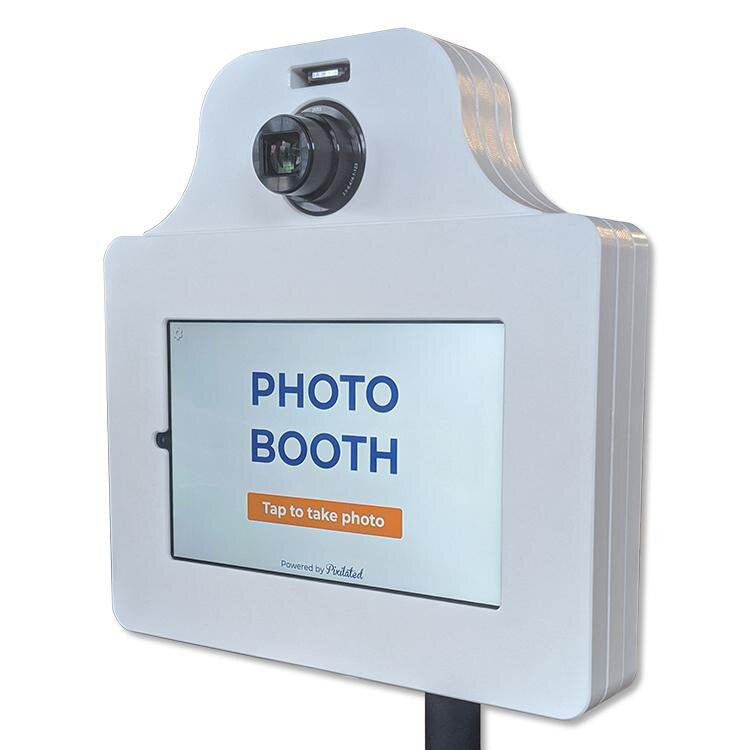
Pixilated Photo BoothA photo booth app turns a phone, tablet or laptop into a guest-facing booth that captures photos, GIFs or video, applies overlays and shares results by text, email or QR code. The right choice depends on your device (iPhone, iPad, Android or Windows), the camera you plan to use and whether you want a monthly subscription or a one-time license. This guide compares several apps by platform, specs and approximate price, then covers how to set up a booth and what to check before event day.
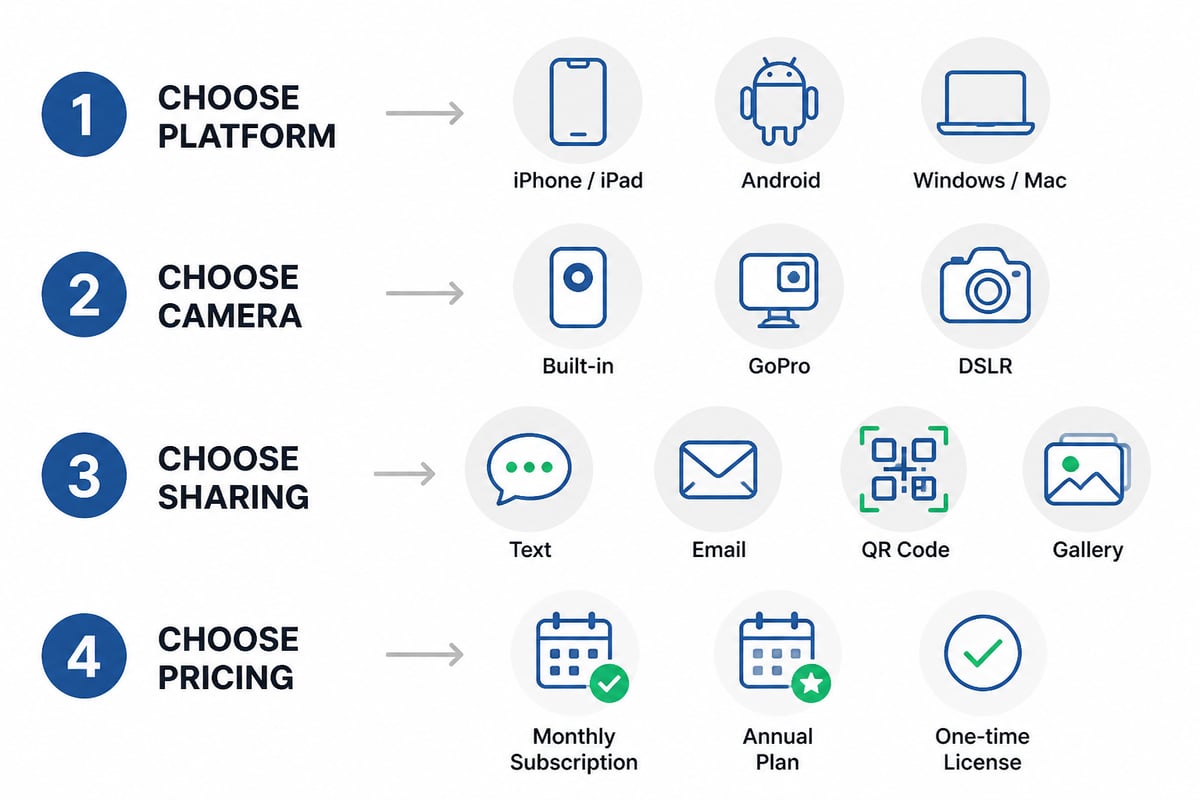
How to Choose a Photo Booth App
Choose by platform first, then by camera support, sharing method and pricing model. Those four factors eliminate most options within minutes.
- Platform: Apple-only apps will not run on Android tablets, and Windows software will not run on an iPad.
- Camera: Built-in tablet cameras work for casual events. A GoPro, DSLR or mirrorless camera produces sharper results but requires software that supports it.
- Sharing: Look for email, text, QR code or an online gallery. Guests expect photos on their phones before they leave.
- Pricing model: Subscriptions suit operators who run many events. A single wedding or company party is usually better served by a short pass or a one-time license.
1. Touchpix
Touchpix is a cross-platform photo booth app that supports iOS, Android and macOS, which makes it one of the few options with real Android coverage.
- Cameras: According to Touchpix's pricing page, it supports GoPro models 7 to 13 as well as Canon and Nikon DSLR or mirrorless cameras.
- Features: AI effects, automated background removal and animated overlays.
- Plans: PhotoPass, MultiPass, MultiPass Pro and Enterprise, roughly $439.90 to $2,199.99 per year.
- Best use: Event operators who need Android support, external camera connectivity and advanced effects on a professional budget.
Verdict: Among the broadest platform and camera coverage in this list, priced for operators who run events regularly.
2. LumaBooth
LumaBooth is a booth app for iPhone, iPad and Mac, made by Lumasoft, which also sells a separate Windows product.
- Platforms: iPhone, iPad and Mac. Lumasoft's FAQ explains how its Apple-device app differs from its Windows software.
- Price: The App Store listing shows $19.99 per month, with a $199.99 annual Full Access purchase also listed.
- Best use: Hosts and operators who already own Apple devices and want mobile booth and event capture features without extra hardware.
Verdict: A sensible entry point for Apple owners, especially on a month-to-month basis for a single event.
3. dslrBooth for Windows
dslrBooth is Windows photo booth software for operators who want a DSLR, mirrorless camera, GoPro or webcam at the center of the booth.
- Cameras: Canon, Nikon, Sony, GoPro and webcam capture, per dslrBooth's listing.
- Workflows: Photo, 360, mirror, glam, green-screen and video guest-book setups.
- Price: dslrBooth's pricing page lists $17 per month billed annually or $49.99 month-to-month, and the subscription includes the first two devices.
- Best use: Windows-based setups with a laptop, a professional camera and a printer.
Verdict: The strongest camera flexibility here, provided you are comfortable running a Windows laptop at the venue.
4. SLR Booth Studio
SLR Booth Studio is the one-time purchase option, with native apps for Windows, Mac, Linux and Android plus a web version.
- Price: SLR Booth's pricing page lists $99 as a one-time purchase, with no subscription or per-event fees stated.
- Features: Native apps are described as supporting silent printing, local photo storage and USB camera compatibility.
- Best use: Buyers who prefer paying once and need desktop or Android options for repeated use.
Verdict: The lowest long-term cost in this list for anyone who will run several events a year.
5. Go Photobooth
Go Photobooth is an iPad app built for straightforward event booths with printing and an optional second camera.
- Cameras: Front and rear cameras, plus external UVC USB camera support, per its App Store listing.
- Printing and layouts: AirPrint or network printing, with photo-strip, contact-sheet and individual-photo layouts.
- Extras: A second device can connect as a remote camera over a local network. Email sharing and automatic saving to the photo gallery are included.
- Price: $28.99 for a 7-day event pass, $48.99 monthly or $289.99 yearly, per the App Store listing.
- Best use: iPad owners who want a short-term pass for one event, or a printing booth with a remote camera.
Verdict: The 7-day pass is a practical fit for one-off events such as a single reception or conference.
6. Simple Booth
Simple Booth is a subscription booth platform with iOS support, aimed at operators building a full 360 and photo booth business.
- Price: Touchpix's comparison page lists the Simple Booth Complete 360 tier at $149 per month or $1,490 per year, and says additional device licenses cost $111 per month.
- Platform: iOS is listed.
- Best use: iOS-based operators who want a subscription platform and run bookings regularly.
Verdict: Priced for working operators. A host planning a single event will find the cost hard to justify.
7. Pixilated Photo Booth
Pixilated Photo Booth is a rental kit rather than an app you install, which suits hosts who want a finished booth without configuring software.
- Setup: Self-service, designed to be running quickly with no tech skills needed.
- Hardware: Battery-powered, so there are no power cords for guests to trip over.
- Sharing: Photos arrive by text and email, with an online gallery of every photo.
- Shipping: Roundtrip shipping is offered, and kits are shipped to arrive ahead of your event.
- Branding: Frames, screens and backdrops can carry your logo, colors and theme through customized design.
- Track record: Rated 4.9/5 by 10,000+ event hosts, with over 10,000 events hosted.
- Best use: Wedding receptions, company parties, conferences and campus events where a self-service booth needs to work on arrival, with no staffed operator.
Verdict: A good fit when you want the experience of a booth app without sourcing tablets, stands, lighting and printers yourself. Details are on the Pixilated Photo Booth site.
Photo Booth App Comparison
| Option | Platforms | Camera support | Pricing model | Best for |
|---|---|---|---|---|
| Touchpix | iOS, Android, macOS | GoPro 7-13, Canon, Nikon | Annual plans, about $439.90 to $2,199.99 | Cross-platform operators |
| LumaBooth | iPhone, iPad, Mac | Device cameras | About $19.99/month or $199.99/year | Apple device owners |
| dslrBooth | Windows | Canon, Nikon, Sony, GoPro, webcam | About $17/month billed annually | Windows camera rigs |
| SLR Booth Studio | Web, Windows, Mac, Linux, Android | USB cameras | About $99 one-time | Repeat events on a budget |
| Go Photobooth | iPad | Built-in, UVC USB, remote device | About $28.99 for 7 days | One-off iPad events |
| Simple Booth | iOS | Not listed | About $149/month (Complete 360) | Subscription operators |
| Pixilated Photo Booth | Self-contained kit | Included in kit | Rental kit | Self-service event hosting |
Pixilated also covers the topic from the host's side in its guide to a photo booth app for events.
What Is the Best Photo Booth App for a Wedding?
The best wedding option is the one your guests can use unassisted, that shares photos immediately and that matches your decor. For an iPad-based reception booth, Go Photobooth or LumaBooth cover printing and sharing. If you want a camera upgrade and have a Windows laptop, dslrBooth is the stronger technical choice.
Couples who would rather skip software entirely can rent a kit built for this. Pixilated's wedding photo booth bundles pair a booth with themed props and backdrops, and wedding photo booth themes let you match monograms and colors.
How to Set Up a Photo Booth for an Event
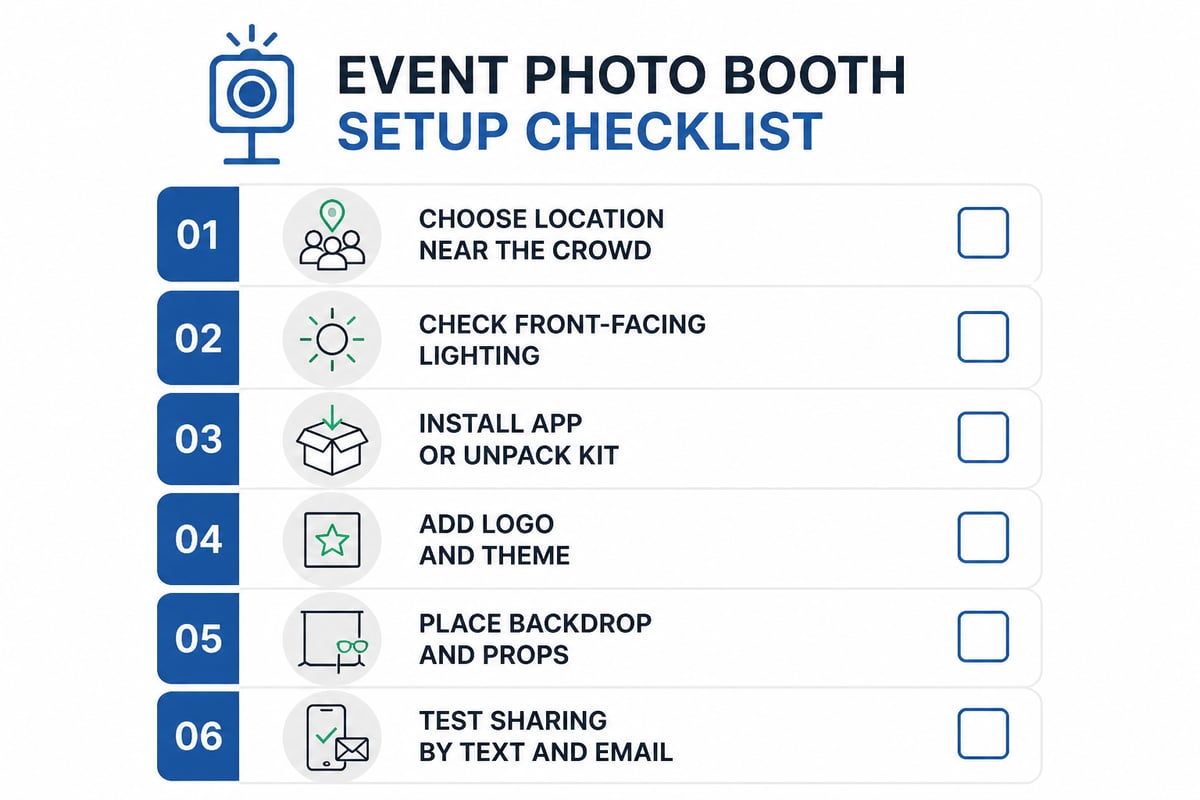
Set up a booth in six steps, and run through them at least a day before the event.
- Pick a location. Choose a spot near the main gathering area with room for a queue, away from the dance floor speakers.
- Check lighting. Front-facing, even light beats overhead light. A window behind the guests will darken faces.
- Install the app or unpack the kit. Sign in, confirm your plan is active for the event date and test every sharing method.
- Brand the experience. Add your logo, event name or date to the frame and start screen.
- Add a backdrop and props. A solid, sequin or tinsel backdrop photographs well, and props give shy guests something to do. Wedding props and graduation props are available.
- Run a full test. Take five sample shots, send them to your own phone and confirm the gallery link works.
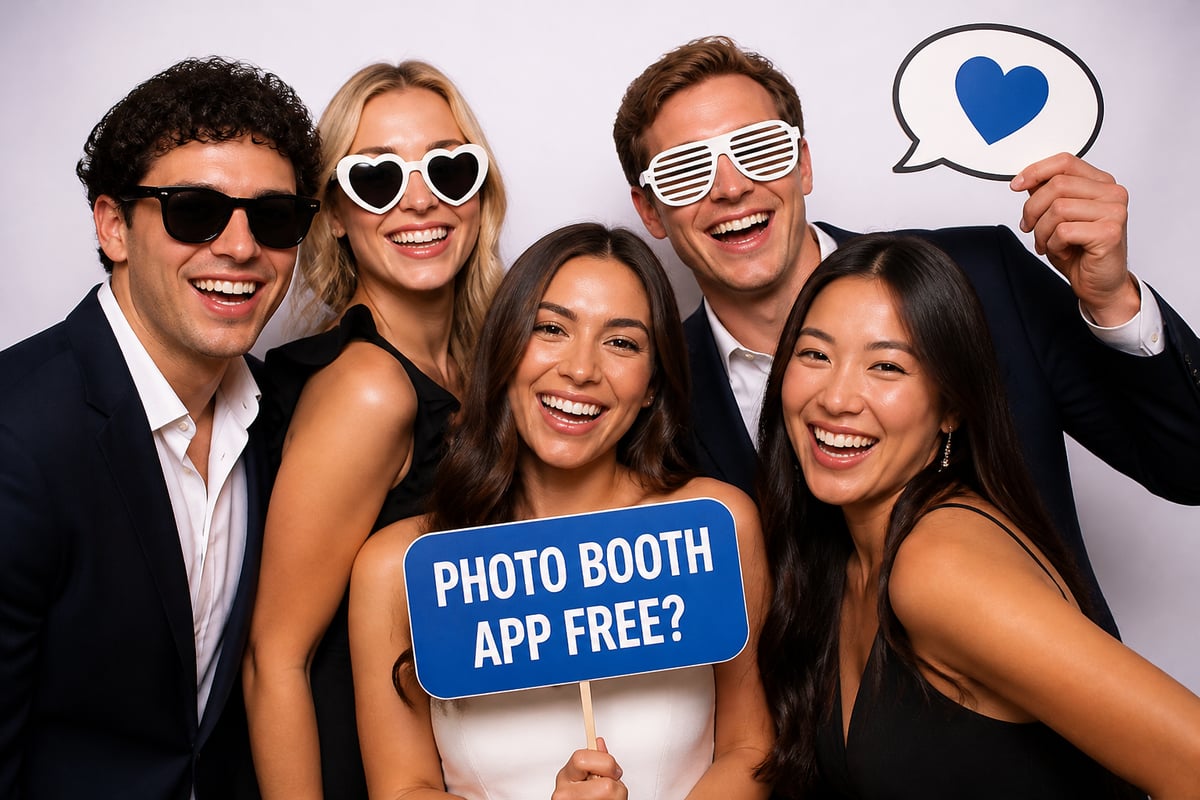
Is a Photo Booth App Free?
Most full-featured photo booth apps are paid, though some offer a free trial or a basic tier with watermarks. Of the options here, none is free for a branded, shareable event. SLR Booth Studio at $99 one-time and Go Photobooth's $28.99 seven-day pass are the lowest-cost ways in, depending on whether you need one event or many.
Free apps tend to limit overlays, remove custom branding or cap the number of shared photos, which matters when guests are waiting in line. If your plan includes a company logo or a wedding monogram, budget for a paid plan.
Planning Around Your Event Type
Different events put different demands on a booth, so match the tool to the setting.
- Weddings: Guests range from children to grandparents, so a one-touch interface and instant sharing matter most. Black-and-white and GIF styles are popular choices, available through GIF photo booth rental and black and white photo booth rental.
- Corporate events: Logo placement, a clean gallery and email capture matter for client events and conferences. A green screen can swap in branded backgrounds, as with a green screen photo booth rental.
- Campus events: Orientations and graduations bring high volume in short windows, so fast capture and a battery-powered kit that moves easily between rooms help. See school photo booth bundles.
Photographers who want a studio rather than an event booth can look at Location A Studio, a photo and video space in Toronto. That is a different service from a booth app, but it suits planned portrait or content shoots.
FAQ
Do I need a dedicated camera for a photo booth app?
No. An iPhone, iPad or Android tablet camera is enough for many receptions and parties. A GoPro, DSLR or mirrorless camera improves sharpness and low-light results, but it requires software that supports your camera model, such as Touchpix or dslrBooth.
Can guests get their photos without printing?
Yes. Most apps and kits deliver photos by text, email, QR code or an online gallery, so printing is optional. Printing adds a keepsake but needs a compatible printer and supplies.
How long does it take to set up a photo booth?
An app-based booth typically takes longer because you configure software, camera, printer and lighting. A ready-made kit is designed to be running quickly, which is how Pixilated Photo Booth is designed to work.
Start by listing your device, camera and sharing needs, then trial one app against a real test shoot before the event week. If you would rather skip the configuration, Pixilated's Pixilated Photo Booth kit arrives battery-powered and brandable, designed to be ready quickly. You can add your logo and theme through customized design so the booth matches your wedding, company event or campus program. Book my photo booth now to lock in your date.