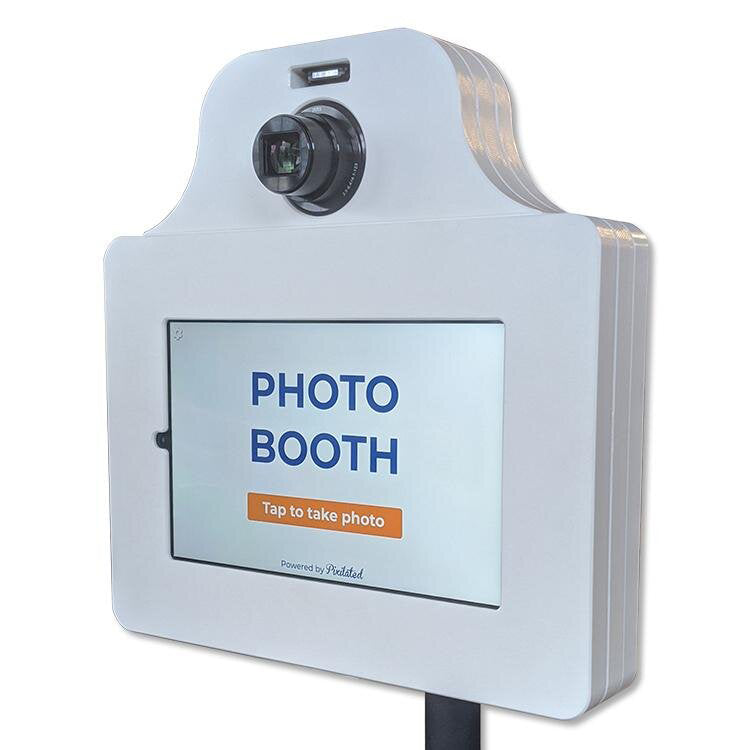
Photobooth Software: Features, Selection & Best Practices
Pixilated Photo BoothModern event experiences demand more than simple snapshots. The technology powering today's photo booths has evolved into sophisticated platforms that manage everything from camera controls to social media sharing, branding customization, and guest engagement analytics. Whether you're planning a corporate activation, wedding celebration, or university recruitment event, the photobooth software you choose directly impacts guest satisfaction, brand visibility, and overall event success. Understanding the capabilities, features, and selection criteria for these platforms empowers event planners and businesses to create memorable, shareable moments that extend far beyond the event itself.
Core Functionality That Defines Modern Photobooth Software
Today's photobooth software serves as the brain behind every photo experience, managing complex workflows that would be impossible manually. The platform controls camera triggering, image processing, overlay application, and delivery methods within seconds of capture.
Camera Compatibility and Hardware Integration
Professional photobooth software must communicate seamlessly with various camera types. DSLR compatibility remains essential for high-quality output, but modern platforms also support mirrorless cameras, webcams, and tablet cameras. Software that supports multiple camera brands provides flexibility as hardware needs evolve.
Key hardware integration features include:
- Live camera preview for framing and composition
- Remote shutter triggering without physical camera contact
- Automatic focus and exposure adjustment based on lighting conditions
- RAW file processing for maximum image quality
- External flash synchronization for consistent lighting
The best photobooth software also integrates with various printer models, ensuring that physical prints match on-screen quality. USB, wireless, and network printer connections should all function reliably without complex configuration.
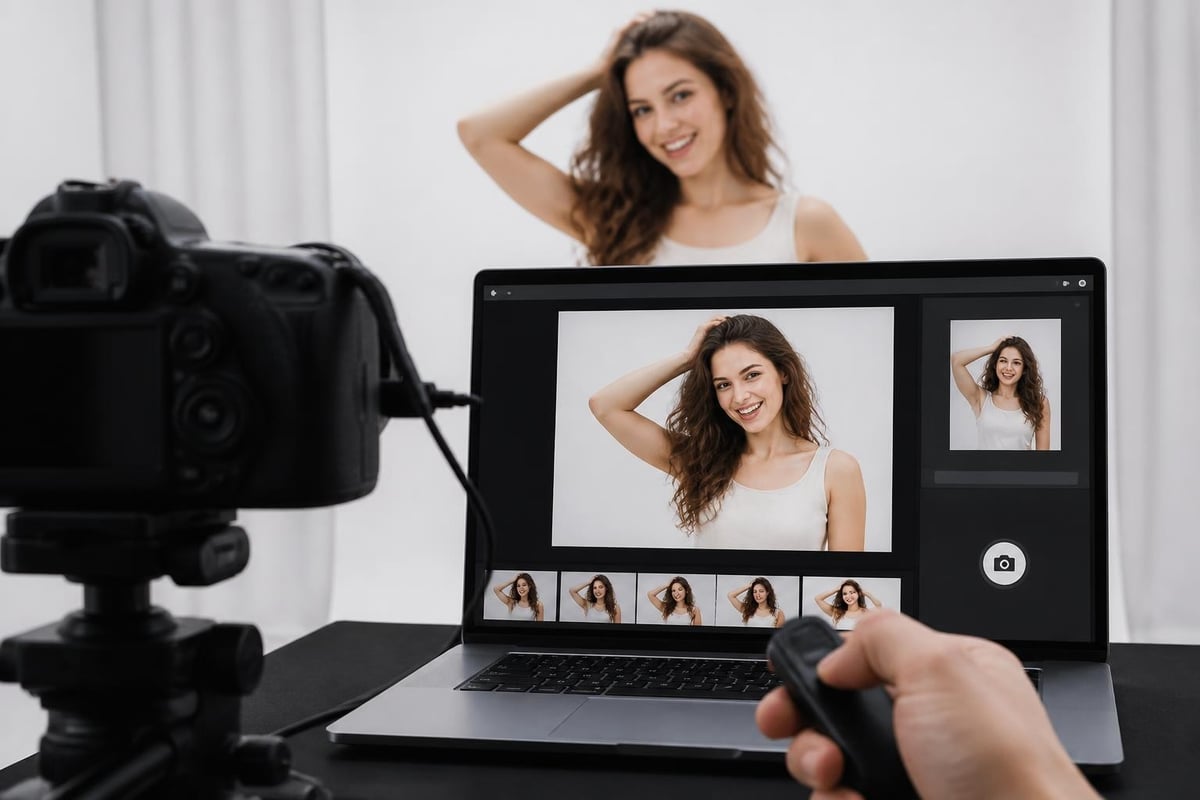
Image Processing and Enhancement Capabilities
Once images are captured, processing speed determines guest satisfaction. Modern photobooth software applies filters, overlays, and enhancements in real-time, creating polished results without noticeable delays.
| Processing Feature | Business Benefit | Guest Experience Impact |
|---|---|---|
| AI background removal | Create consistent branded backgrounds | Professional-looking photos regardless of physical backdrop |
| Beauty filters | Flattering results increase sharing | More social media posts and brand exposure |
| GIF and boomerang creation | Dynamic content generation | Higher engagement on social platforms |
| Video message recording | Captured testimonials and messages | Emotional keepsakes for hosts |
Processing capabilities directly influence how guests perceive the photo booth experience. Features like AI-powered enhancements and animations have become expected rather than exceptional in 2026.
Customization and Branding Features
Event hosts increasingly demand branded photo experiences that reinforce their message or theme. Photobooth software must provide robust customization without requiring graphic design expertise.
Template Design and Overlay Systems
Template systems allow users to create branded photo layouts featuring logos, event names, dates, and decorative elements. The most versatile platforms offer:
- Drag-and-drop template builders
- Pre-designed template libraries organized by event type
- Variable data fields for automatic date and name insertion
- Multiple photo layout options (single, strip, collage)
- Color scheme matching tools
For businesses running corporate event photo booth rentals, having a customized design that adds logos or text transforms each photo into a marketing asset. Every shared image extends brand reach organically through social networks.

User Interface Customization
The guest-facing interface represents your brand during the event. Professional photobooth software allows complete interface customization, including:
- Welcome screen personalization with event branding
- Button text and color modification matching event themes
- Instruction language selection for international audiences
- Screen orientation options for different booth configurations
- Accessibility features including text size and contrast adjustments
Interface customization ensures the technology disappears, leaving guests focused on the experience rather than navigating unfamiliar software.
Sharing and Distribution Mechanisms
The value of photo booth experiences multiplies when guests can instantly share their images. Modern photobooth software provides multiple distribution channels that activate immediately after capture.
Digital Delivery Options
Email and SMS delivery remain standard features, but 2026's platforms offer expanded options:
- QR code generation for instant mobile downloads
- Direct social media posting to Instagram, Facebook, and TikTok
- Cloud gallery uploads with shareable event-specific URLs
- Airdrop and nearby sharing for iOS and Android devices
- Webhook integration with CRM systems for lead capture
For event planners interested in lead generation, integrating photobooth software with marketing platforms creates valuable contact databases while providing entertainment value.
Print Management and Queue Systems
Physical prints require sophisticated queue management to prevent bottlenecks. Advanced photobooth software includes:
| Print Feature | Operational Benefit |
|---|---|
| Print quantity limits | Controls consumable costs |
| Duplicate prevention | Reduces waste and expenses |
| Print queue display | Manages guest expectations |
| Printer error handling | Automatic troubleshooting notifications |
| Print preview screens | Reduces reprints and waste |
Quality photobooth software balances digital and physical delivery, recognizing that different events demand different priorities.
Analytics and Data Collection
Professional photobooth software transforms entertainment into business intelligence. The analytics capabilities separate basic platforms from professional solutions.
Guest Engagement Metrics
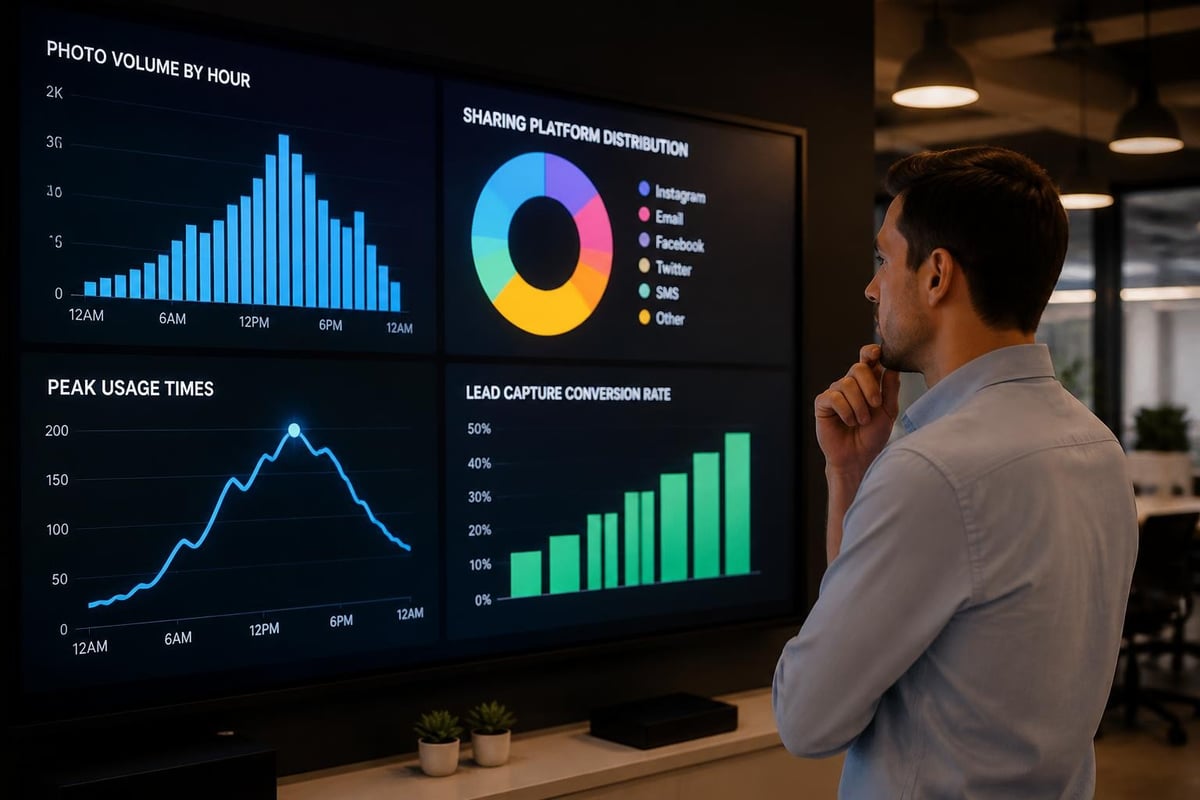
Understanding how guests interact with your photo booth informs future event planning. Comprehensive platforms track:
- Total photos captured per hour
- Average session duration
- Most popular filters and effects
- Peak usage times
- Sharing rates by platform
- Repeat user identification
These metrics help event planners optimize booth placement, staffing, and feature selection for maximum engagement.
Marketing and Lead Generation Tools
For corporate activations and conference photo booth rentals, lead capture features convert entertainment into marketing assets:
- Custom data collection forms
- Email marketing integration
- Consent management for GDPR compliance
- Demographic data capture
- Survey integration post-experience
The ability to export contact lists and engagement data makes photobooth software an essential component of modern event marketing strategies.
Technical Requirements and Platform Considerations
Selecting photobooth software requires understanding both immediate needs and future scalability. The technical foundation determines reliability during critical event moments.
Operating System Compatibility
Professional photobooth software availability varies by operating system. Windows-based solutions like Photoboof offer extensive printer support and hardware compatibility. macOS and iPad platforms provide streamlined interfaces and reliability. Cross-platform solutions offer flexibility as hardware preferences evolve.
Consider these technical factors:
- Minimum hardware specifications for smooth operation
- Offline functionality for venues with limited connectivity
- Cloud backup options preventing data loss
- Remote monitoring capabilities for unattended installations
- Software update frequency and support duration
For businesses shipping DIY photo booth kits nationwide, software that operates reliably without technical support proves invaluable.
Licensing Models and Scalability
Understanding licensing structures prevents unexpected costs as your operation grows:
| License Type | Best For | Considerations |
|---|---|---|
| One-time purchase | Single booth operations | Limited updates, potential obsolescence |
| Annual subscription | Growing rental businesses | Predictable costs, continuous updates |
| Per-event licensing | Occasional users | Higher per-use costs, no commitment |
| Unlimited usage | High-volume operations | Best long-term value for frequent use |
Many businesses start with basic packages and expand features as client demands increase.
Advanced Features Driving Industry Innovation
The photobooth software landscape continues evolving rapidly. Features considered premium in previous years now appear in mid-tier platforms.
Artificial Intelligence Integration
AI-powered features create experiences impossible with traditional photography:
- Automatic subject detection and cropping for perfect framing
- Age progression and regression filters for entertainment value
- Background replacement without green screens
- Facial recognition for automated photo delivery
- Content moderation preventing inappropriate imagery
These capabilities differentiate premium experiences from basic photo capture, justifying higher rental rates and client investment.
360-Degree and Video Capabilities
Static photos represent just one content format. Modern photobooth software increasingly supports 360-degree video booths and slow-motion capabilities, creating viral-ready content that generates significant social media engagement.
Video features include:
- Boomerang and cinemagraph creation
- Slow-motion video recording
- 360-degree camera path automation
- Multi-camera synchronization
- Instant video editing and effects
For events prioritizing social media impact, video-capable photobooth software delivers measurably higher engagement rates than photo-only solutions.
Selecting the Right Photobooth Software for Your Needs
With dozens of platforms available, systematic evaluation prevents costly mistakes. Understanding your specific requirements guides selection more effectively than feature checklists alone.
Assessment Framework
Begin by defining your primary use cases:
For rental businesses:
- How many simultaneous events will you service?
- What customization level do clients expect?
- Do you need remote monitoring capabilities?
- What sharing methods are most requested?
For in-house corporate use:
- Will booths operate attended or unattended?
- What branding consistency is required?
- How will captured data integrate with existing systems?
- What lead capture capabilities are essential?
For wedding and social events:
- What physical print quality is expected?
- Which sharing methods matter most to guests?
- What template variety is needed?
- How important is offline functionality?
Comprehensive photobooth software reviews provide detailed comparisons across these dimensions, helping narrow options based on actual business requirements.
Trial Period Evaluation
Most professional platforms offer trial periods or demo access. Use this time strategically:
- Test actual hardware compatibility with your cameras and printers
- Simulate real event scenarios with timing pressure
- Evaluate interface intuitiveness with non-technical users
- Verify sharing delivery speed and reliability
- Assess customization tools without tutorial guidance
- Review analytics depth and export options
Real-world testing reveals operational challenges that specification sheets never mention.
Implementation Best Practices
Purchasing photobooth software represents just the first step. Successful deployment requires systematic implementation and ongoing optimization.
Configuration and Template Preparation
Pre-event preparation determines operational smoothness:
- Create template libraries organized by event type
- Establish naming conventions for easy asset location
- Test all sharing methods with real email addresses
- Configure printer settings for optimal quality and speed
- Prepare backup configurations for common failure scenarios
Organizations running event photo booth rentals benefit from standardized setup procedures that reduce on-site troubleshooting time.
Staff Training and Documentation
Even intuitive photobooth software requires systematic training:
- Basic operation training covering standard event scenarios
- Troubleshooting protocols for common technical issues
- Customization workflows for client-specific requests
- Data export procedures for post-event deliverables
- Emergency contact procedures when remote support is needed
Creating documented procedures ensures consistent service quality regardless of which team member operates the booth.
Integration With Event Ecosystems
Photobooth software rarely operates in isolation. Modern events require coordination with other technology platforms and service providers.
Complementary Service Coordination
Photo booths often operate alongside other event services. For instance, transportation providers like North West Prestige Travel coordinate arrival timing and vehicle branding that photo booth templates should complement for cohesive event experiences.
Effective integration considers:
- Consistent branding across all event touchpoints
- Coordinated timing for maximum guest participation
- Shared data collection for comprehensive event analytics
- Unified social media hashtags and sharing strategies
This holistic approach transforms individual services into comprehensive event experiences.
Marketing Platform Integration
For businesses focused on lead generation, photobooth software must feed contact data into existing marketing systems:
- CRM integration automatically creates contact records
- Email marketing platform synchronization enables automated follow-up campaigns
- Marketing automation triggers based on photo sharing behavior
- Analytics platform data export for comprehensive event ROI analysis
These integrations multiply the value of each photo booth activation beyond entertainment alone.
Maintenance and Long-Term Success
Selecting quality photobooth software establishes the foundation, but sustained success requires ongoing attention and optimization.
Software Updates and Feature Evolution
Professional platforms release regular updates addressing:
- Security vulnerabilities and data protection
- New social media platform integration
- Enhanced AI capabilities and processing speed
- Expanded camera and printer compatibility
- User interface improvements based on feedback
Establishing update schedules during off-peak periods prevents disruptions during critical event seasons.
Performance Optimization
Over time, photobooth software performance can degrade without proper maintenance:
- Regular database cleanup preventing slowdowns
- Template library organization maintaining quick access
- Asset file optimization reducing storage requirements
- Cache clearing preventing memory issues
- Configuration backup preventing setup loss
These maintenance practices ensure consistent performance as usage volume increases.
The photobooth software you select fundamentally shapes every aspect of your event experiences, from initial guest engagement through final image delivery and beyond. Features like comprehensive customization, reliable sharing mechanisms, and robust analytics transform simple photo capture into powerful marketing tools and memorable entertainment. Whether you're operating a rental business, planning corporate activations, or creating personal celebration memories, investing time in proper software selection, implementation, and maintenance pays dividends through enhanced guest satisfaction, operational efficiency, and measurable business results. The platforms available in 2026 offer unprecedented capabilities that extend far beyond basic photography, creating opportunities to delight guests while capturing valuable data and extending brand reach through organic social sharing.
Selecting the right photobooth software transforms good events into unforgettable experiences while delivering measurable business value through data capture and social sharing. Whether you're planning a single celebration or operating a full-scale rental business, understanding the basics of photo booth rental helps you leverage technology effectively for maximum guest engagement. Pixilated Photo Booth provides modern, DIY photo booth rentals with professional-grade software that creates high-quality, shareable photo experiences without the complexity of traditional staffed operations, making it easy to elevate events of every size nationwide.